Spatial Data, Part 4: Data Sets

This is part four in a series:

Besides just looking around at geographical features like states, roads, and buildings, we can incorporate human-centric data like restaurants, crimes, and more.

Data Sets

1. Toxic Release Inventory

A “TRI” as reported by the EPA is a Toxic Release Inventory. This could be a chemical spill or some other accident that’s not in our best health interests. Here are the incidents that took place in Kentucky over a ten-year period.

select geometry::CollectionAggregate(geom)
from ky_counties
union all
select geom.STBuffer(.05)
from ky_tri
where geom.STWithin((select geom from us_stateshapes where state = 'KY')) = 1

The EPA offers an interactive map of TRI’s around the country here.

TRIs in KY

2. Toxic Incidents in Jefferson County

select geometry::CollectionAggregate(geom).STBuffer(.001)
from ky_interstates where geom.STWithin((select geom from ky_counties where id = 24)) = 1
union all 
select geometry::CollectionAggregate(geom) from ky_counties where id = 24
union all
select geom.STBuffer(.01) from ky_tri where geom.STWithin((select geom from ky_counties where id = 24)) = 1

Bringing it close to home, here are the incidents that have taken place in my own hometown of Louisville, KY.

TRIs in Jefferson County

3. Add in the Sirens

select geometry::CollectionAggregate(geom).STBuffer(.001)
from ky_interstates where geom.STWithin((select geom from ky_counties where id = 24)) = 1
union all 
select geom from ky_counties where id = 24
union all
select geometry::UnionAggregate(geom.STBuffer(.01)) from ky_tri where geom.STWithin((select geom from ky_counties where id = 24)) = 1
union all
select geometry::UnionAggregate(geom.STBuffer(.02)) from ky_sirens

The siren radius is an estimate, since the hearing distance can depend on a lot of factors. Still, it’s disturbing to see that there are some parts of the county that have had several incidents but have no sirens for tens of miles. The I-65 corridor on the southern half of Louisville has its share of problems, but no active alert system.
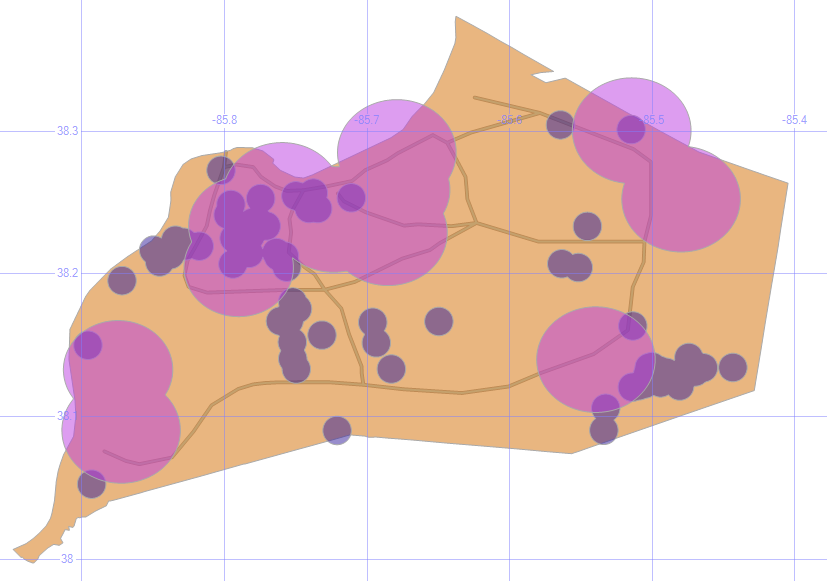
TRIs with Sirens

4. Toxic Incidents per County

;with tox (id, ct) as
(select c.id, count(*) from ky_counties c join ky_tri t on c.geom.STContains(t.geom) = 1 group by c.id)
select c.geom, isnull(tox.ct,0) Incidents
from ky_counties c
left outer join tox on c.id = tox.id

By counting the number of incidents per county in a CTE, and joining that to the county map, we can display that number on the SQL map.

On the good side, it’s good to see that there are several counties with zero incidents; on the bad side, 73 in my county? Ouch.
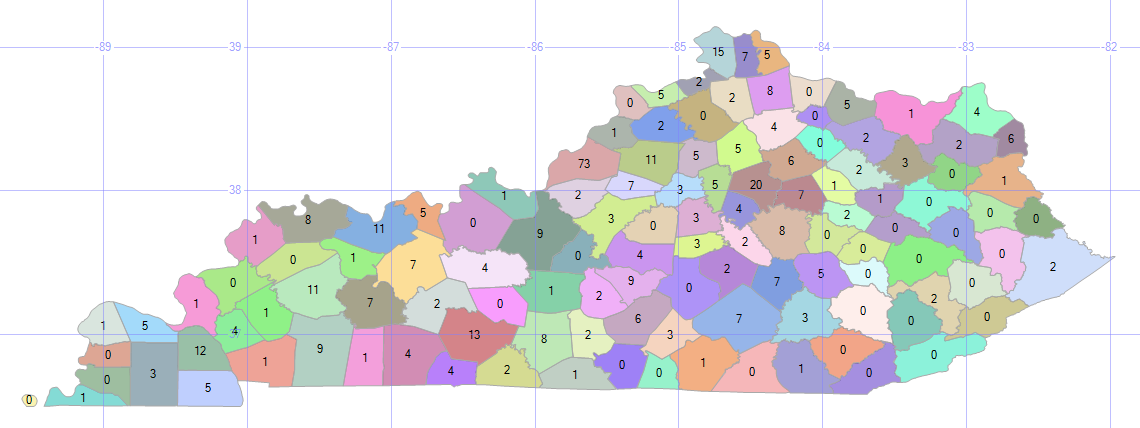
TRIs per County

5. Toxic Incident Range Bands

select geometry::CollectionAggregate(geom), '0' Incidents
from ky_counties c where c.id not in (select id from tox) union all
select geometry::CollectionAggregate(geom), '< 5'
from ky_counties c inner join tox on tox.id = c.id where tox.ct < 5 union all
select geometry::CollectionAggregate(geom), '5 - 10'
from ky_counties c inner join tox on tox.id = c.id where tox.ct between 5 and 10 union all
select geometry::CollectionAggregate(geom), '11 - 25'
from ky_counties c inner join tox on tox.id = c.id where tox.ct between 11 and 25 union all
select geometry::CollectionAggregate(geom), '> 25'
from ky_counties c inner join tox on tox.id = c.id where tox.ct > 25

Seeing the individual numbers is informative, but divvying up the data into range bands can make it easier to find patterns and trends.
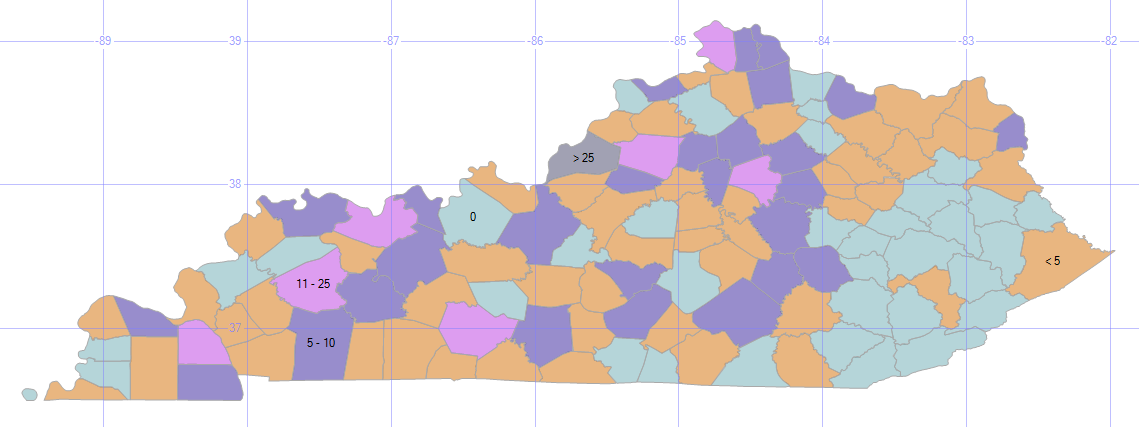
TRIs with Range Bands

Since we aggregated the counts into just five range bands, they’re considered just five objects, and therefore only five labels appear.

The southeast part of the state looks pretty good, with mostly light blue zeros and a scattering of tan lows. There’s an almost solid dark blue of tens riding up along I-75. And, if I had to present this kind of bad news to my boss, you can see that I’ve cleverly downplayed Louisville’s 73 TRIs into an “over 25” category.

6. Low Food Scores

;with s (id, dt) as
(select establishmentid, max(inspectiondate) from ky_food
where typedescription = 'food service' group by establishmentid)
select geom.STBuffer(.01) Geom, establishmentname + ': ' + convert(varchar,f.score) Name
from ky_food f 
inner join s on f.establishmentid = s.id and f.inspectiondate = s.dt
where score < 90
union all
select geometry::CollectionAggregate(geom), ''
from ky_interstates where geom.STWithin((select geom from ky_counties where id = 24)) = 1
union all
select geom.STBoundary(), '' from ky_counties where id = 24

Instead of the bad stuff that we may inadvertently breathe and drink due to industrial accidents or chemical spills, let’s look at the bad stuff that we put into our bodies on purpose. Here are the restaurant health inspection codes (usually the “A” papers that we see posted) that are not up to the A level (score < 90).

Here, I’m plotting the low-grade restaurants (using a CTE because I only want the most recent inspection date for each restaurant) around the city, and setting the hover-text to be the name and score.
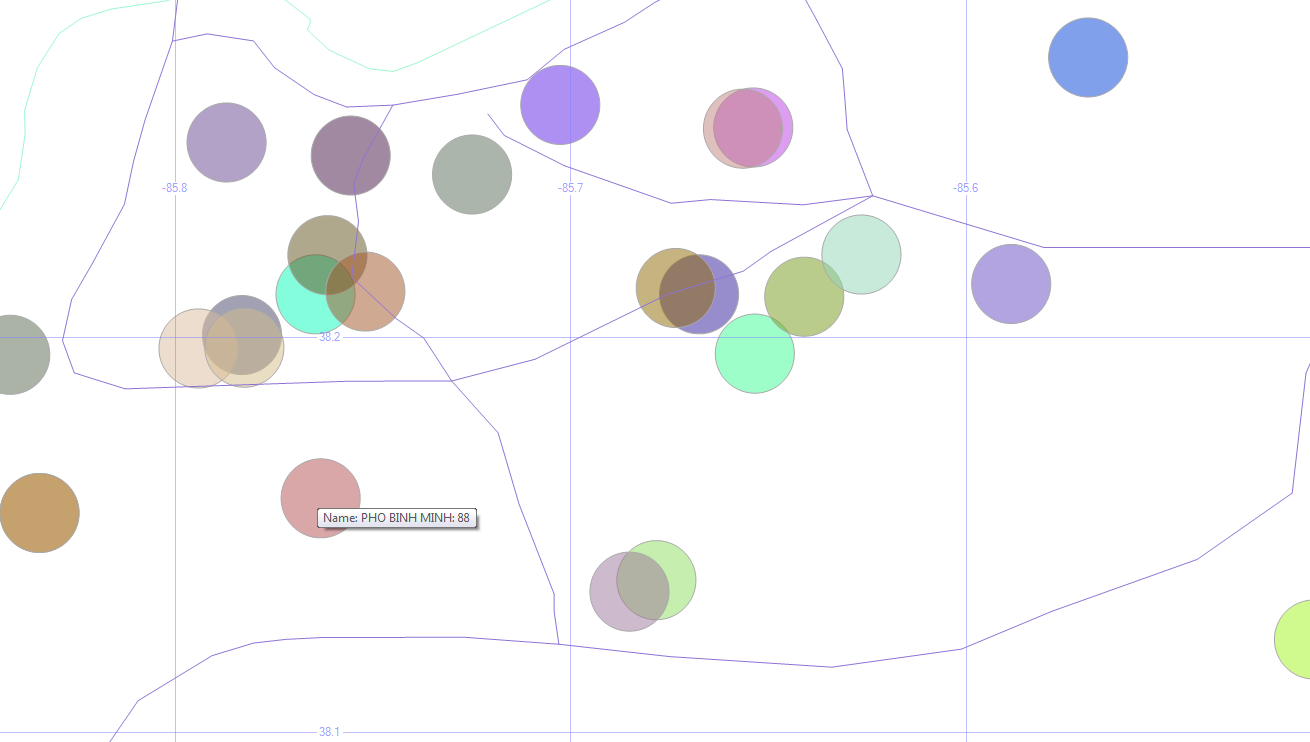
Low Food Scores

The data I’m using is from early 2015. So Phi Binh Minh (and the others) might have an “A” in the window these days. Don’t take my map as a food critic review.

7. Violent Crimes in Jefferson County

select geom.STBuffer(.001), left(Crime,1) Crime, convert(varchar,IncidentDate,111) Date
from ky_crime
where geom.STWithin((select geom from ky_counties where id = 24)) = 1
and crime in ('homicide', 'aggravated assault', 'simple assault') and year(incidentdate) = 2014
union all
select geometry::CollectionAggregate(geom), null, null
from ky_interstates where geom.STWithin((select geom from ky_counties where id = 24)) = 1
union all
select geom.STBoundary(), null, null from ky_counties where id = 24

More bad news! Sorry.

Here are the violent crimes in town (thankfully, relatively few homicides) over the course of a year, with the first letter of each of those crimes in our hover-text.

Louisville Violent Crimes

The west end, downtown, and the airport region seem to have the worst of it.

8. Violent Crimes in Jefferson County with Bubble Sizes

;with siz (lat, lon, sz) as
(select latitude, longitude, count(*) size from ky_crime where crime in ('homicide', 'aggravated assault', 'simple assault') group by latitude, longitude)
select geom.STBuffer(sz * .0003) from ky_crime c 
inner join siz on c.latitude = siz.lat and c.longitude = siz.lon
where crime in ('homicide', 'aggravated assault', 'simple assault')
and geom.STWithin((select geom from ky_counties where id = 24)) = 1 and sz > 1
union all
select geometry::CollectionAggregate(geom)
from ky_interstates where geom.STWithin((select geom from ky_counties where id = 24)) = 1
union all
select geom.STBoundary() from ky_counties where id = 24

Instead of just seeing where they are, how about we highlight the dangerous parts of town by making each dot (an address where a crime happened) wider for every crime that happened there, and ignore the dots where only one crime happened. The previous maps showed us which parts of town are dangerous, but this shows us which specific places are “repeat customers” for crimes.
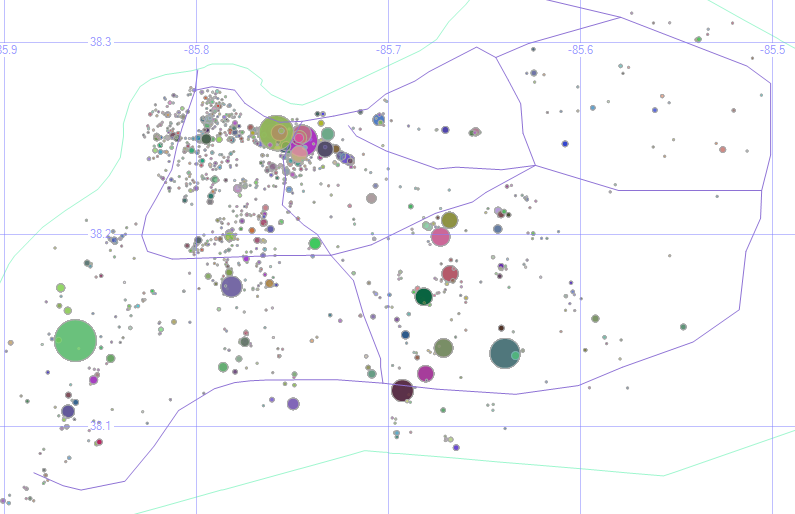
KY Crime Bubbles

Of course, even one violent crime is too many. And my filename for this image (KY Crime Bubbles) sounds like a street gang made up of clowns or janitors.

The underlying data shows that one of the larger circles could actually be removed. The puke-green circle around the center of the second grid square is some sort of default address for the city. The address is listed simply as “Louisville Metro.” Even so, we learn a lot by plotting our own data on a map like this.

9. Reported Crimes (Bad Geo)

select geom.STBuffer(.5), crime, convert(varchar,IncidentDate,111) Date
from ky_crime
where geom.STWithin((select geom from us_stateshapes where state = 'KY')) = 0
union all
select geometry::CollectionAggregate(geom), null, null from us_stateshapes

So far, I’ve been limited the data displayed just to what happens within Louisville/Jefferson County, but sometimes crimes get reported to the Louisville Metro Police that take place out of town.
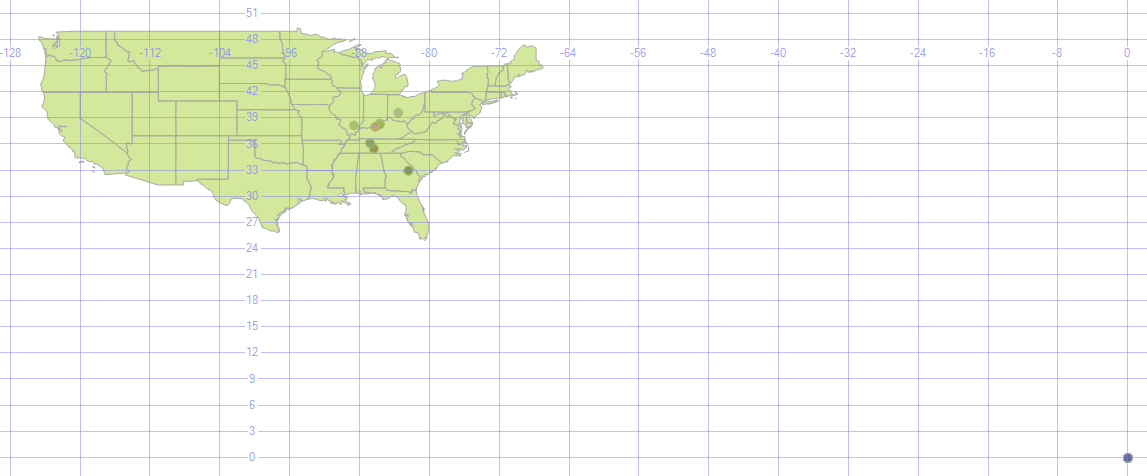
Bad Geo

Oh, and there are a lot of crimes (32 of them, not all that many compared to the overall volume, really) that happen way out in the middle of the ocean. Actually, no. That’s location 0, 0 (one of those 0’s is the equator, and the other is the prime meridian, which is also where the GMT time zone starts). If no geodata was recorded with the incident, many systems will default it to there. For data like that, you can ignore it or correct it by geocoding it (assigning a latitude and longitude to an address). There are some services that will do that for free, for a given amount of addresses (google maps will geocode 10,000 per day, for example), and other services that will geocode for a fee.

Data Sources

Here are the data sets use for this lesson (the us_stateshapes, ky_counties, and ky_interstates have appeared previously.)

  • TRI data is here.
  • Siren, food, and crime data (and dozens of other Louisville data sets) are here.

Getting Involved

I encourage all of you to join in this year’s National Day of Civic Hacking, which is sponsored by the White House’s data.gov open data portal. It’s an annual event put on by the Code for America Brigade to build apps in a single day with other local coders / designers / data’ers, primarily based on using open data sets.

In Louisville, in the past few years, we’ve had apps that:

Your area might also have a chapter of MapTime, which uses and enhances geodata in a variety of ways.

Alt Rock

Here are some of my favorite punk, post-punk, pre-industrial, goth rock, early alternative, dark wave, and such. It’s a little harder for me to put a clean label on what this is, so the somewhat nondescript “alt rock” it is, primarily pulled from the ’80s and ’90s.

These are “my” bands. The bands that helped shape who I am, roughly in order of how much they mean to me.

Dave Mattingly: The Musical, Part 3

  • Big BlackBig Black
    • Known For: The Model
    • Memories: Steve Albini has been one of the most influential figures in underground indie rock, first as a musician in Big Black, then, Rapeman, then Shellac. But it’s his engineer and producer credits that make him a giant — well over a thousand album, including the Breeders, the Pixies, the Stooges, and so many more. The title of their Songs About F***ing album would lead to many interesting conversations in record stores.
    • Favorite Songs: Precious Thing, Colombian Necktie, Bad Penny, The Power of Independent Trucking
  • MinistryMinistry
    • Known For: (Every Day is) Halloween
    • Memories: Ministry’s cynical outlook and harsh instrumentation was a great channel for my young rage. Especially during my years at NASA’s Kennedy Space Center, Ministry had a prominent place in my playlist rotation (mix tapes, in those days). I still listen to “Over the Shoulder” all the time, especially the 12-inch mix that I have linked below.
    • Favorite Songs: Over the Shoulder, The Nature of Love, Angel
  • ClashThe Clash
    • Known For: Should I Stay or Should I Go?
    • Memories: The Clash has had a wide reach. At various times, they were popular on pop charts, classic rock, and on MTV. With such a large catalog of great songs, and with the staggering influence they’ve had, it’s hard to believe they were only together for ten years. Also, the bassist Paul Simonon married Pearl E Gates from Pearl Harbour and the Explosions, which was featured in my new wave list.
    • Favorite Songs: Radio Clash, Rock the Casbah, Bankrobber, Rudie Can’t Fail

Go back to Part 2: Quirky Music or on to Part 4: Parody Music


Spatial Data, Part 3: Getting Around

This is part three in a series:

Now that we have some local buildings represented in our database, let’s move around.

Getting Around

0. Get the Buildings

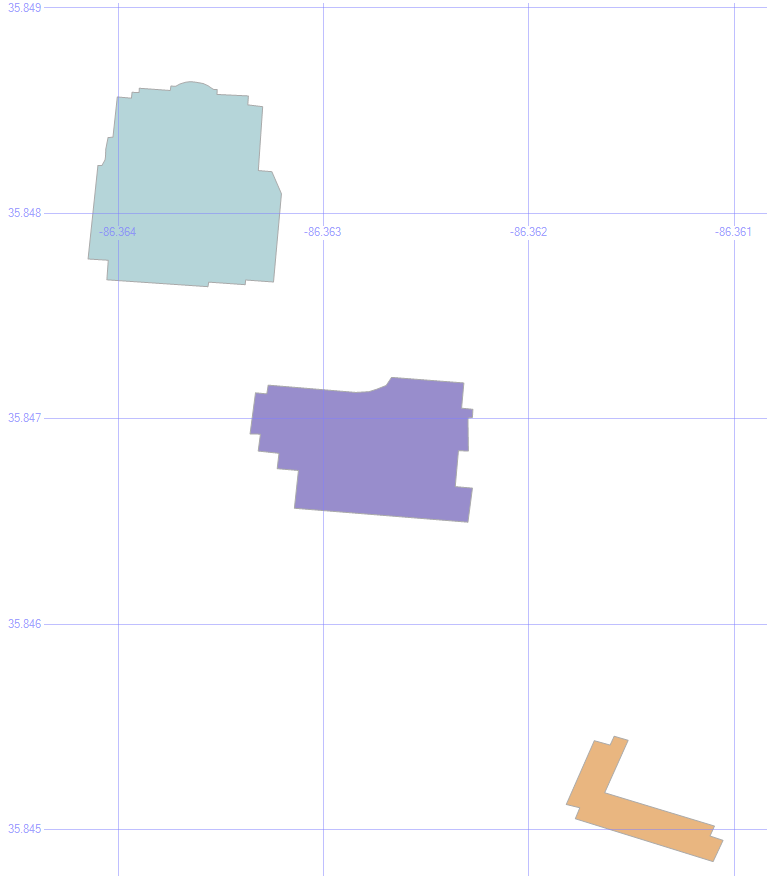
In the last step of Part 2, we saved three buildings into temp tables — #orig, #bloc, and #dest.

MSTU Buildings

1. Shortest Path

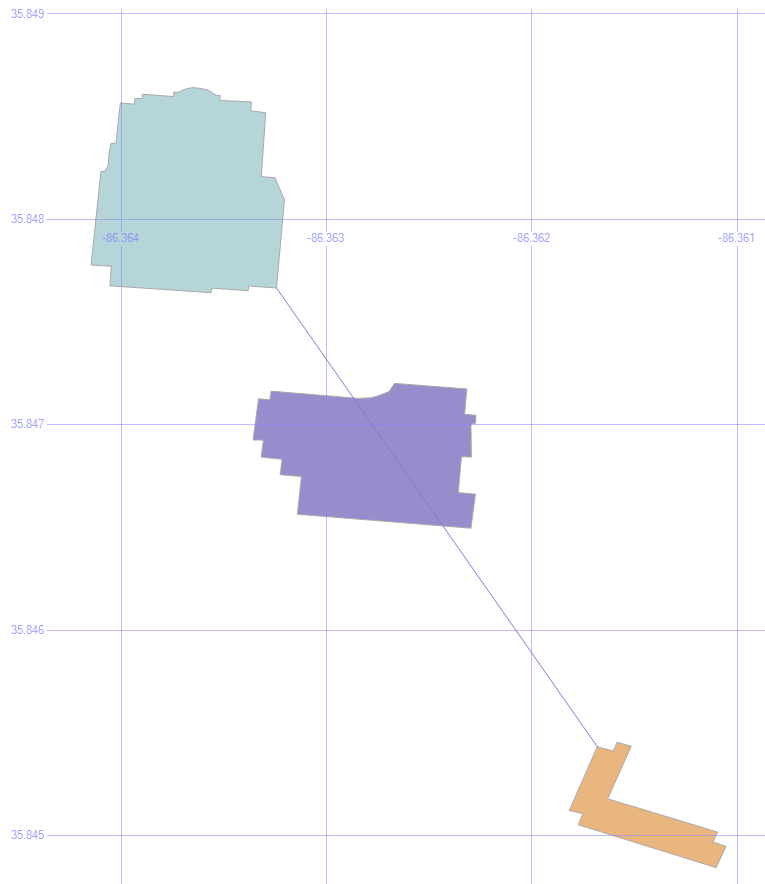
select geom from #orig union all select geom from #dest union all select geom from #bloc union all
select (select geom from #orig).ShortestLineTo((select geom from #dest))

Let’s Find the Shortest Path to that Condemned Building.

The .ShortestLineTo method will find the shortest path, even taking into account the shapes of the buildings.

Shortest Line

But it doesn’t care about any obstacles in its path, which is why we also stored that blocking building to continue our experiment.

2. Put an Envelope on the Obstacle

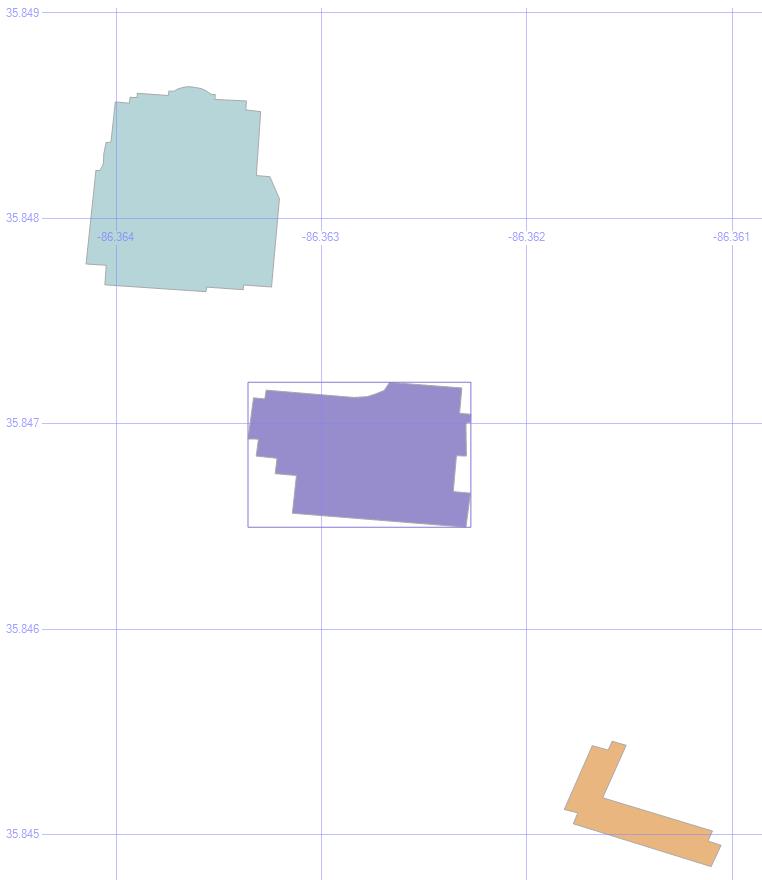
select (select geom from #bloc).STEnvelope().STBoundary()
union all select geom from #orig union all select geom from #dest union all select geom from #bloc

An envelope will look at the highest and lowest values for the height and the width of an object, and draw a box using those values. We can use this to help find a path around the obstacle.

Envelope

3. Draw the Corners of the Envelope

select geom from #orig union all select geom from #dest union all select geom from #bloc union all
select geometry::Point((select geom from #bloc).STEnvelope().STPointN((1)).STX, (select geom from #bloc).STEnvelope().STPointN((3)).STY, 0).STBuffer(.0001) union all
select geometry::Point((select geom from #bloc).STEnvelope().STPointN((3)).STX, (select geom from #bloc).STEnvelope().STPointN((3)).STY, 0).STBuffer(.0001) union all
select geometry::Point((select geom from #bloc).STEnvelope().STPointN((3)).STX, (select geom from #bloc).STEnvelope().STPointN((1)).STY, 0).STBuffer(.0001) union all
select geometry::Point((select geom from #bloc).STEnvelope().STPointN((1)).STX, (select geom from #bloc).STEnvelope().STPointN((1)).STY, 0).STBuffer(.0001)

This command illustrates where the corners of that envelope are. After all, we don’t really want the entire envelope to find a way around the obstacle, just the endpoints.

Envelope Corners

4. Save Those Corners

if object_id('tempdb.dbo.#corn', 'u') is not null drop table #corn create table #corn (geom geometry)
insert into #corn
select geometry::Point(geom.STEnvelope().STPointN((1)).STX, geom.STEnvelope().STPointN((3)).STY, 0) from #bloc
union all
select geometry::Point(geom.STEnvelope().STPointN((3)).STX, geom.STEnvelope().STPointN((3)).STY, 0) from #bloc
union all
select geometry::Point(geom.STEnvelope().STPointN((3)).STX, geom.STEnvelope().STPointN((1)).STY, 0) from #bloc
union all
select geometry::Point(geom.STEnvelope().STPointN((1)).STX, geom.STEnvelope().STPointN((1)).STY, 0) from #bloc

Let’s save those into some temp tables, too, to make the following statements a bit easier to read.

5. Paths to the Corners

select geom from #orig union all select geom from #dest union all select geom from #bloc union all
select o.geom.ShortestLineTo(c.geom).STBuffer(.00001) from #orig o left outer join #corn c on 1=1

Being a method, the .ShortestLineTo can be applied to as many shapes (or points) that we want to give it, all in a single command.

By putting the corners into a temp table, we can draw all four lines at once.

Origin Paths

6. Eliminate Overlaps

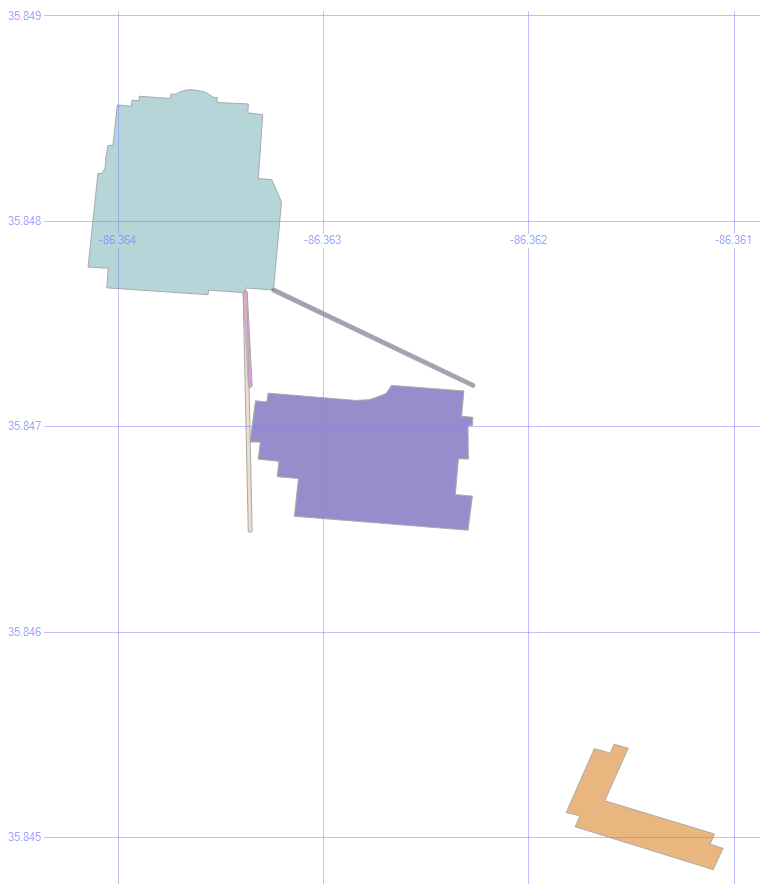
select geom from #orig union all select geom from #dest union all select geom from #bloc union all
select o.geom.ShortestLineTo(c.geom).STBuffer(.00001)
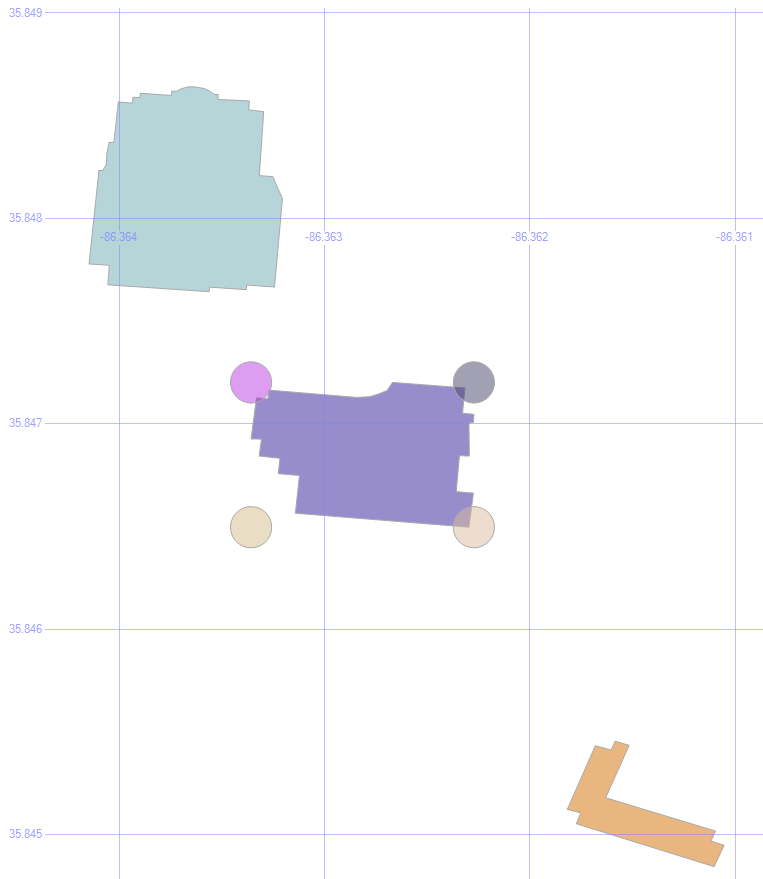
from #orig o left outer join #corn c on 1=1 left outer join #bloc b on 1=1
where o.geom.ShortestLineTo(c.geom).STIntersects(b.geom)=0

One of those paths goes through the building, which isn’t any help in getting around it. So by added a where clause so that .STIntersects is false, we only see the lines that don’t collide with the building.

MSTU Valid Paths

Cool! We’re halfway there.

7. Add the Destination

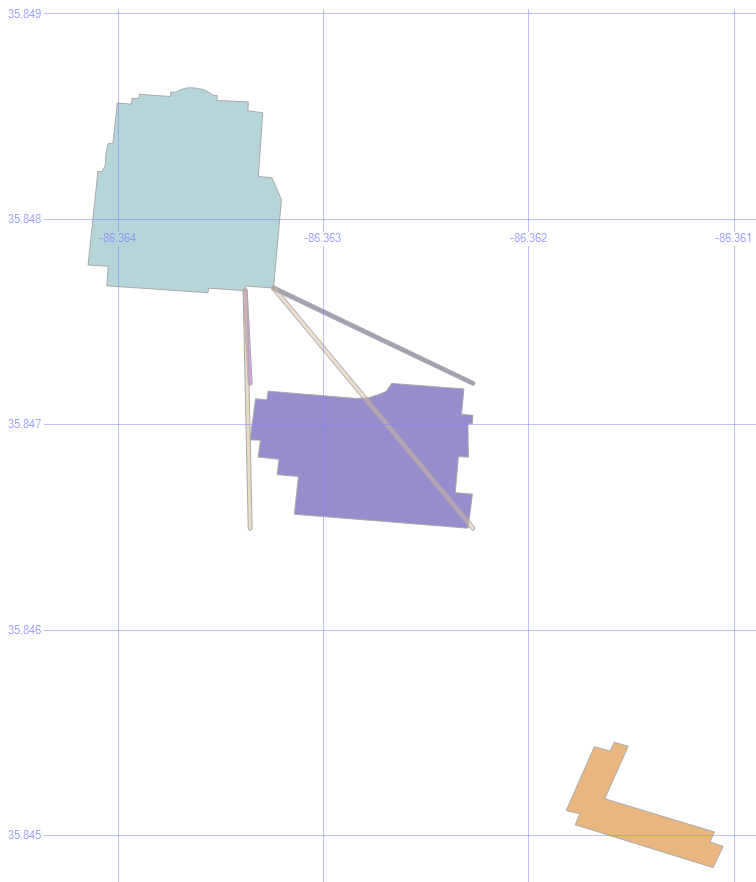
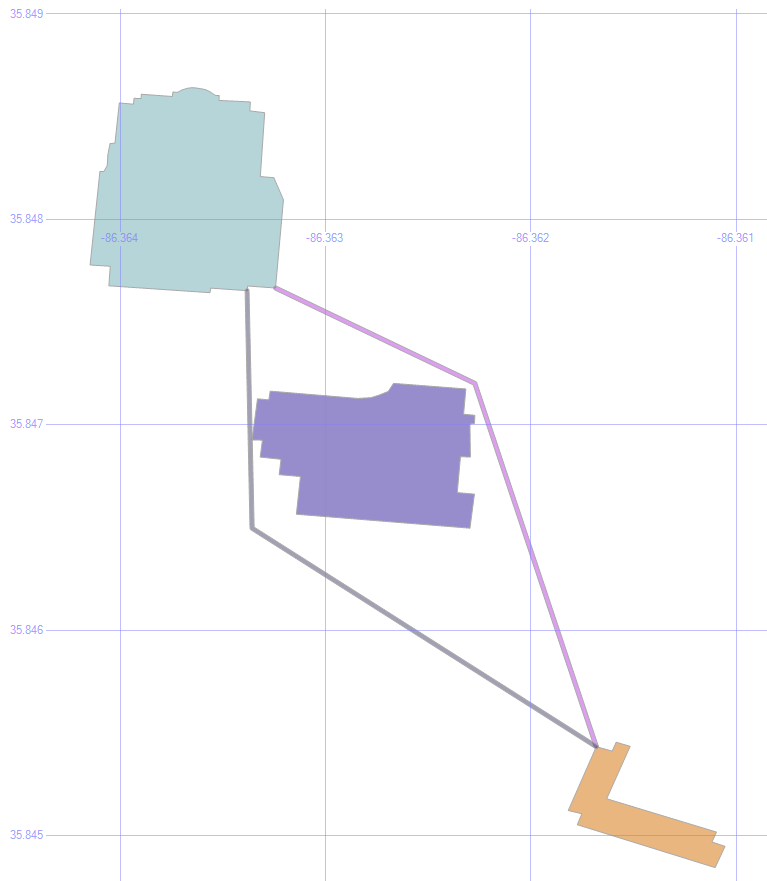
select geom from #orig union all select geom from #dest union all select geom from #bloc union all
select o.geom.ShortestLineTo(c.geom).STUnion(c.geom.ShortestLineTo(d.geom)).STBuffer(.00001)
from #orig o left outer join #corn c on 1=1 left outer join #bloc b on 1=1 left outer join #dest d on 1=1
where o.geom.ShortestLineTo(c.geom).STIntersects(b.geom)=0
and c.geom.ShortestLineTo(d.geom).STIntersects(b.geom)=0

Since those three valid paths are also just geometric data objects, we can use them as the new “origin” for the next leg of our journey.

So, by finding the shortest lines from those lines to the destination building, joining the two line segments into a single object with the .STUnion method, we get:

Full Paths

If we were to apply the .STDistance() method to those paths, we’d see that the purplish path is 4.732 meters, and the blueish path is 5.055 meters.

Shortest Path

Typically, of course, the shortest path problem is focused on roads, not taking shortcuts through the grass.

That’s already been solved in a variety of ways. The most common approach is Dijkstra’s Algorithm.
Here are a couple of SQL implementations: one from Peter Larsson, and one from Hans Olav.

The key to making it quick is generally to pre-calculate all the distances. To a point. Computers these days can’t store the distance from every point on Earth to every other point on Earth, any more than every possible chess move on every board.


Quirky Music

Back when I was a DJ at WLCV radio, on the air I was known as “New Wave Dave.”

I developed a taste for oddball music, and here are some of my favorites. Much of this is music that just leaves my friends scratching their heads at how it could even have gotten recorded, much less that it’s anyone’s favorite.
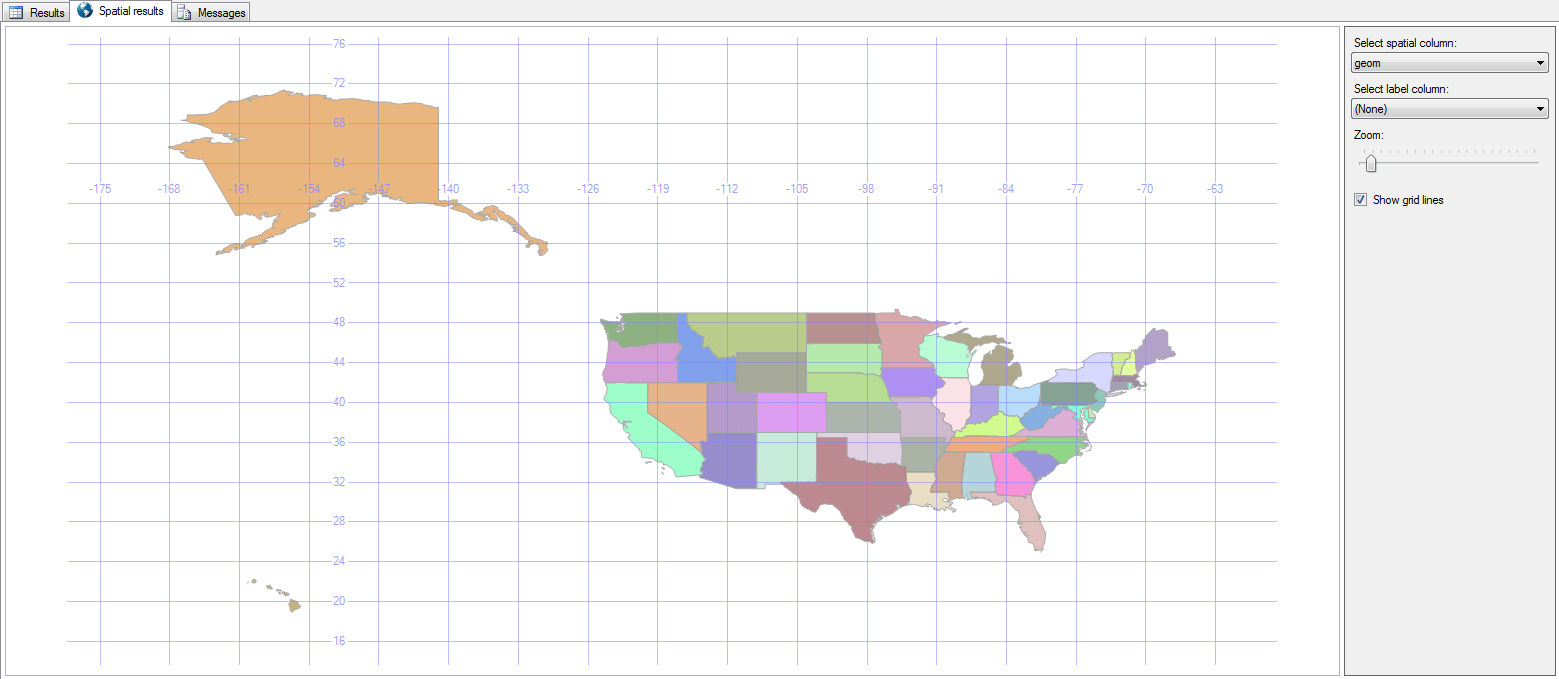
These are “my” bands. The bands that helped shape who I am, roughly in order of how much they mean to me.

Dave Mattingly: The Musical, Part 2

  • StumpStump
    • Known For: Charlton Heston
    • Memories: I first heard Stump thanks to my friend Mike Steiger at Ear X-tasy. Their nonsensical lyrics, cacophonous rhythms, and offbeat perspectives made them sort of an anti-band. The recently passed Mick Lynch’s over-the-top personality made it all fun!
    • Favorite Songs: Buffalo, Chaos, Roll the Bodies Over

Go back to Part 1: New Wave or on to Part 3: Alt Rock.

Spatial Data, Part 2: Local Data

This is part two in a series:

Besides just looking around at states, roads, rivers, and other large-scale features, we have the ability to bring in the structures that we all know and love because they’re right there with us.

Local Data

1. Buildings

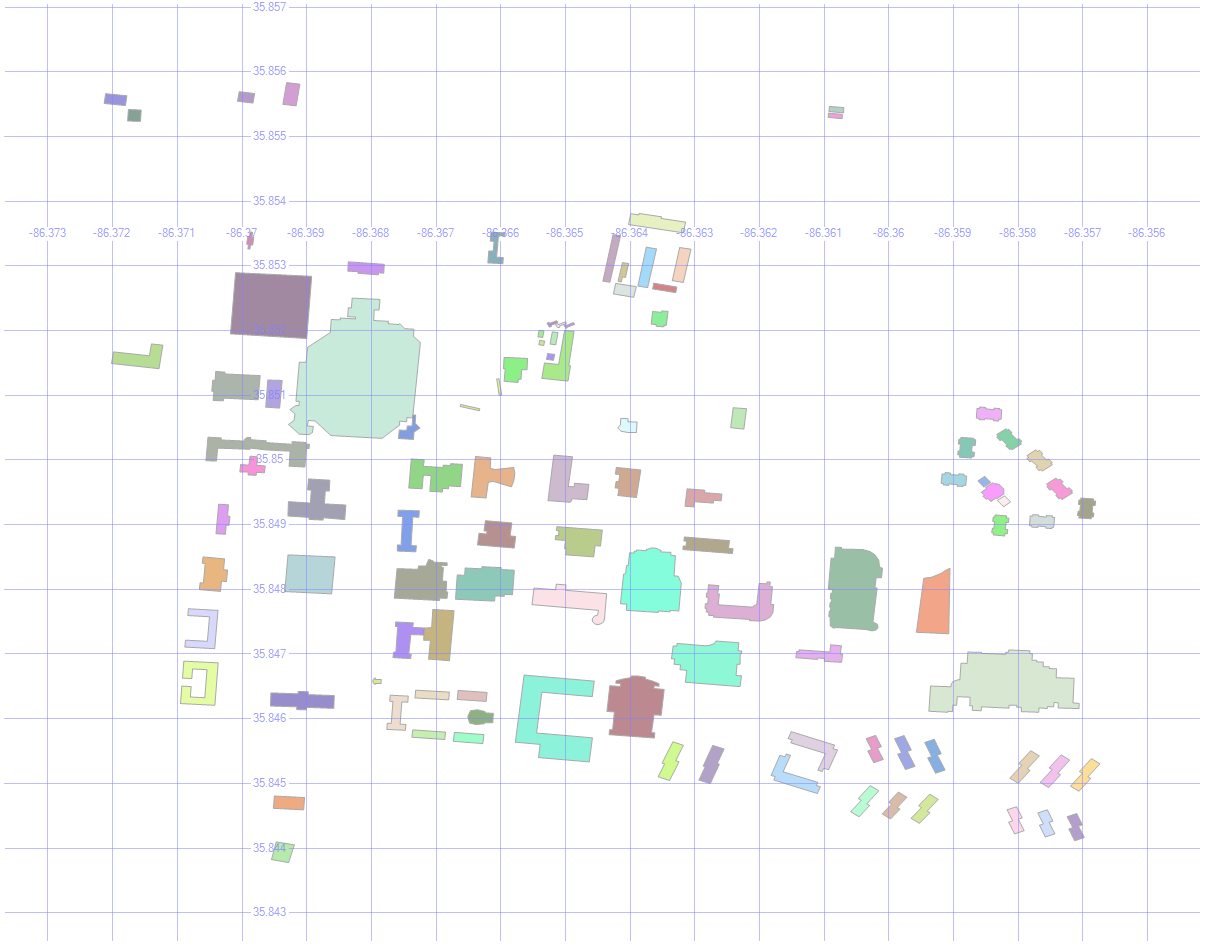
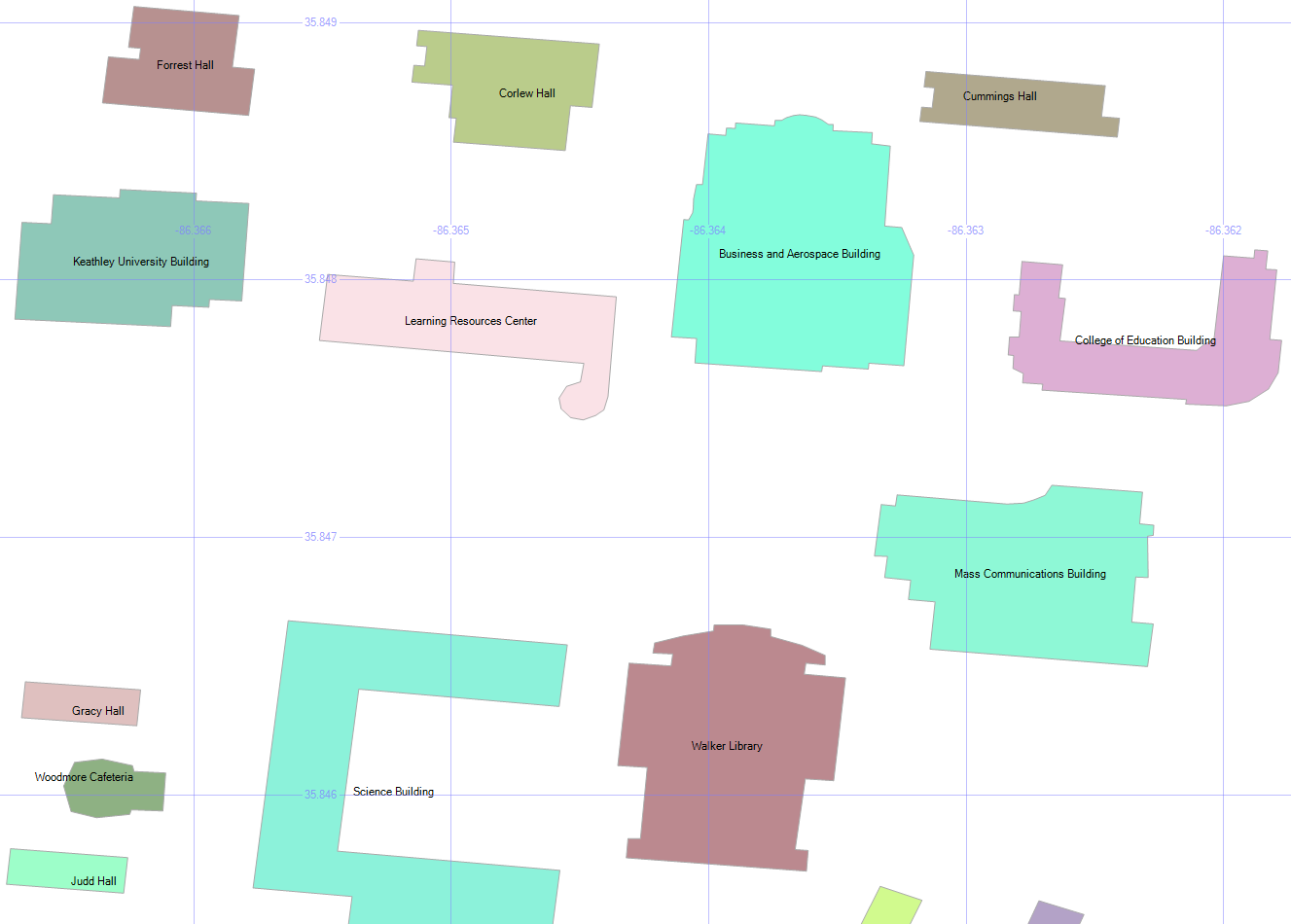
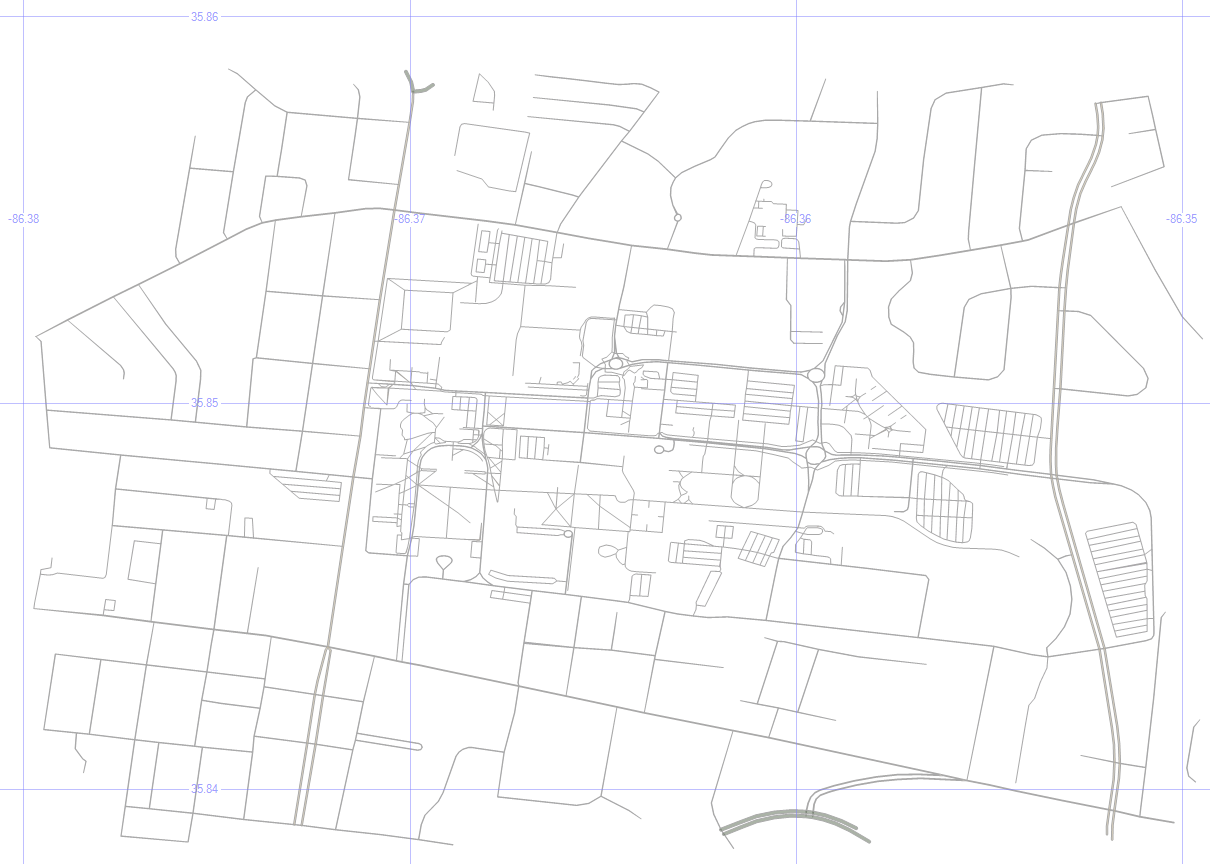
Here are the buildings on MSTU Murfreesboro’s campus (which is where I first gave this presentation).

select id, geom, name, [type]
from mstubuildings

This brings back all the buildings on campus.

MSTU Campus

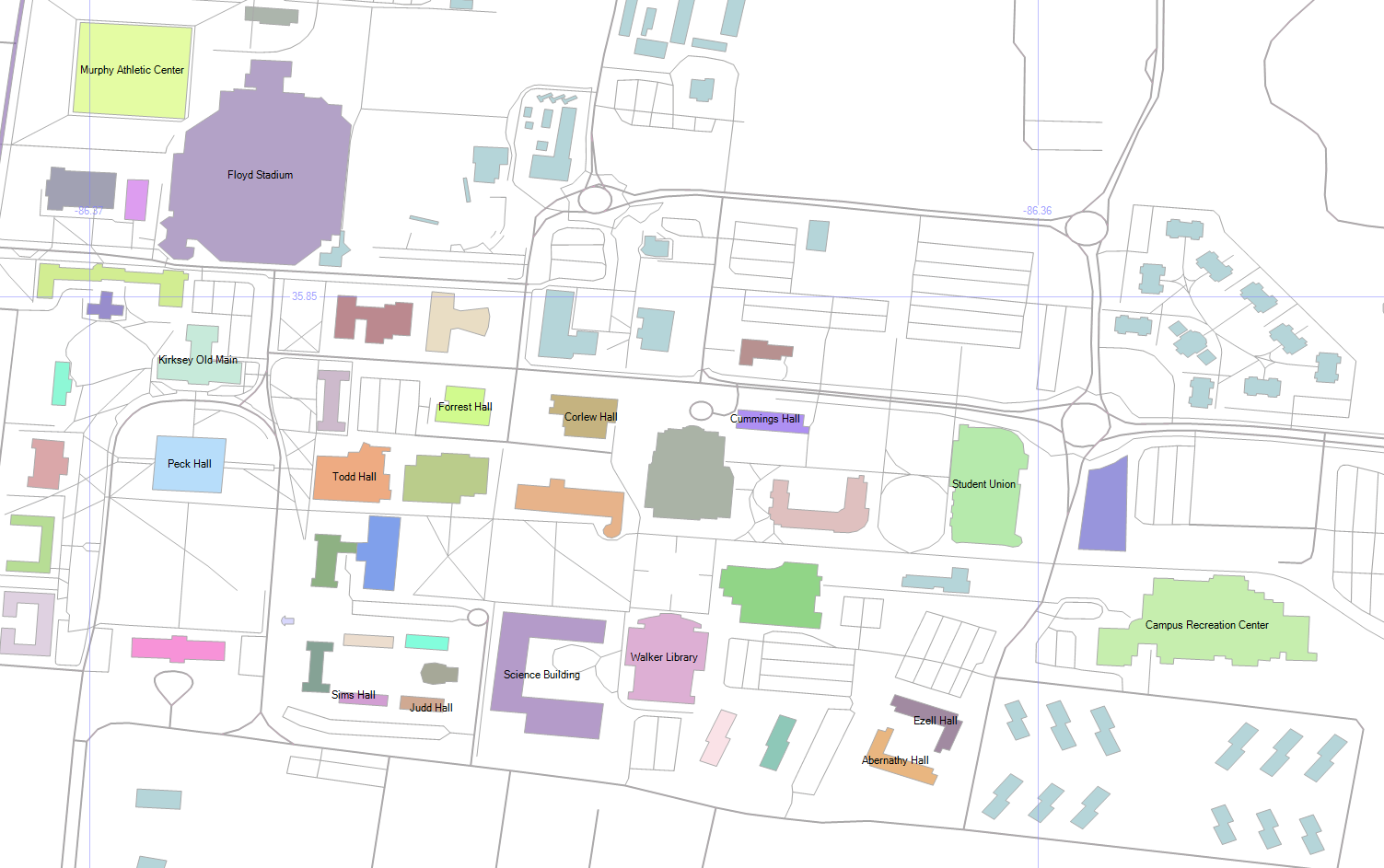
By picking Name as the label, and zooming in enough to where the text is readable, we get this:

MSTU Building Names

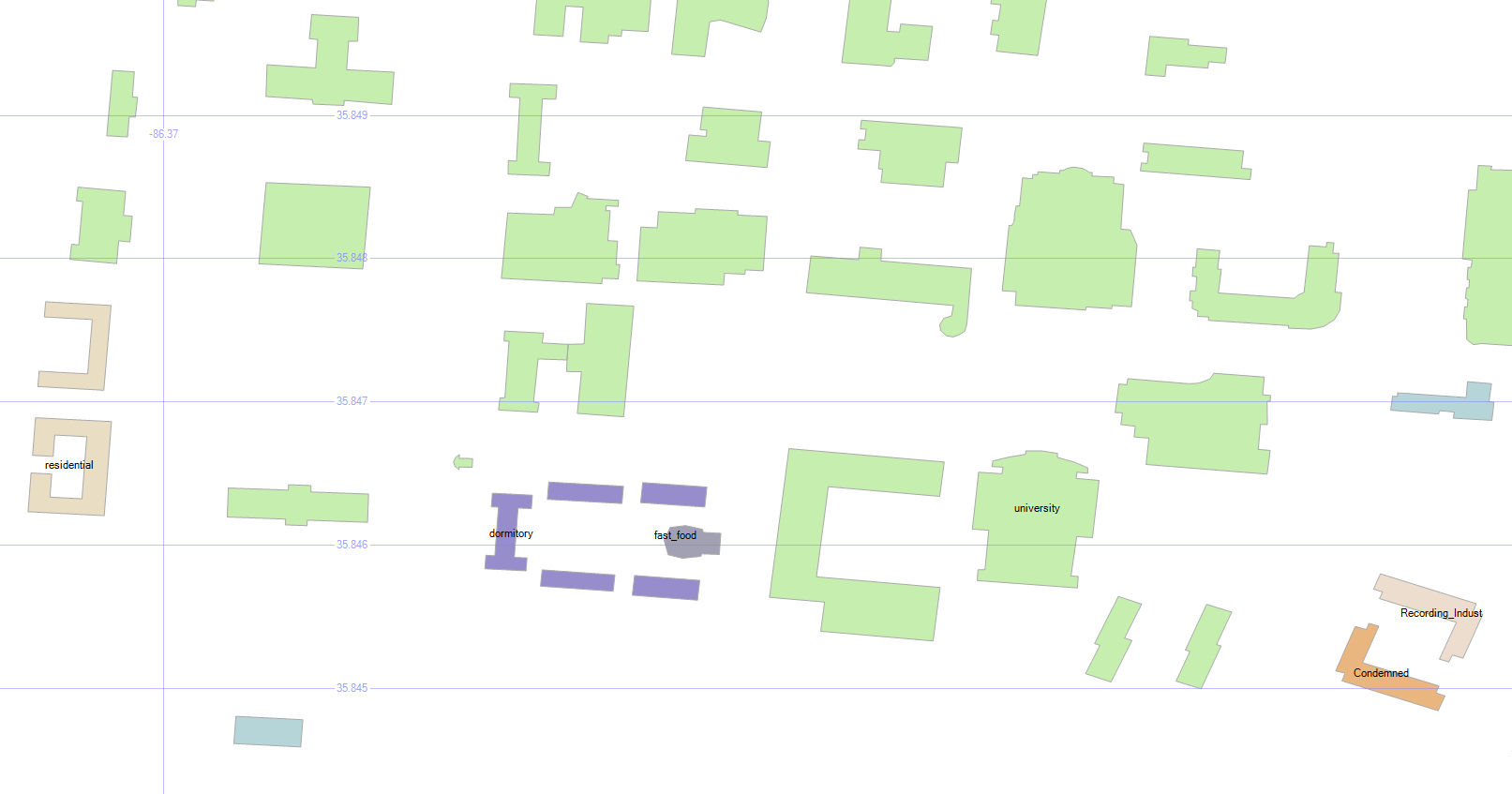
2. Building Types

select geometry::CollectionAggregate(geom), [type]
from mstubuildings
group by type

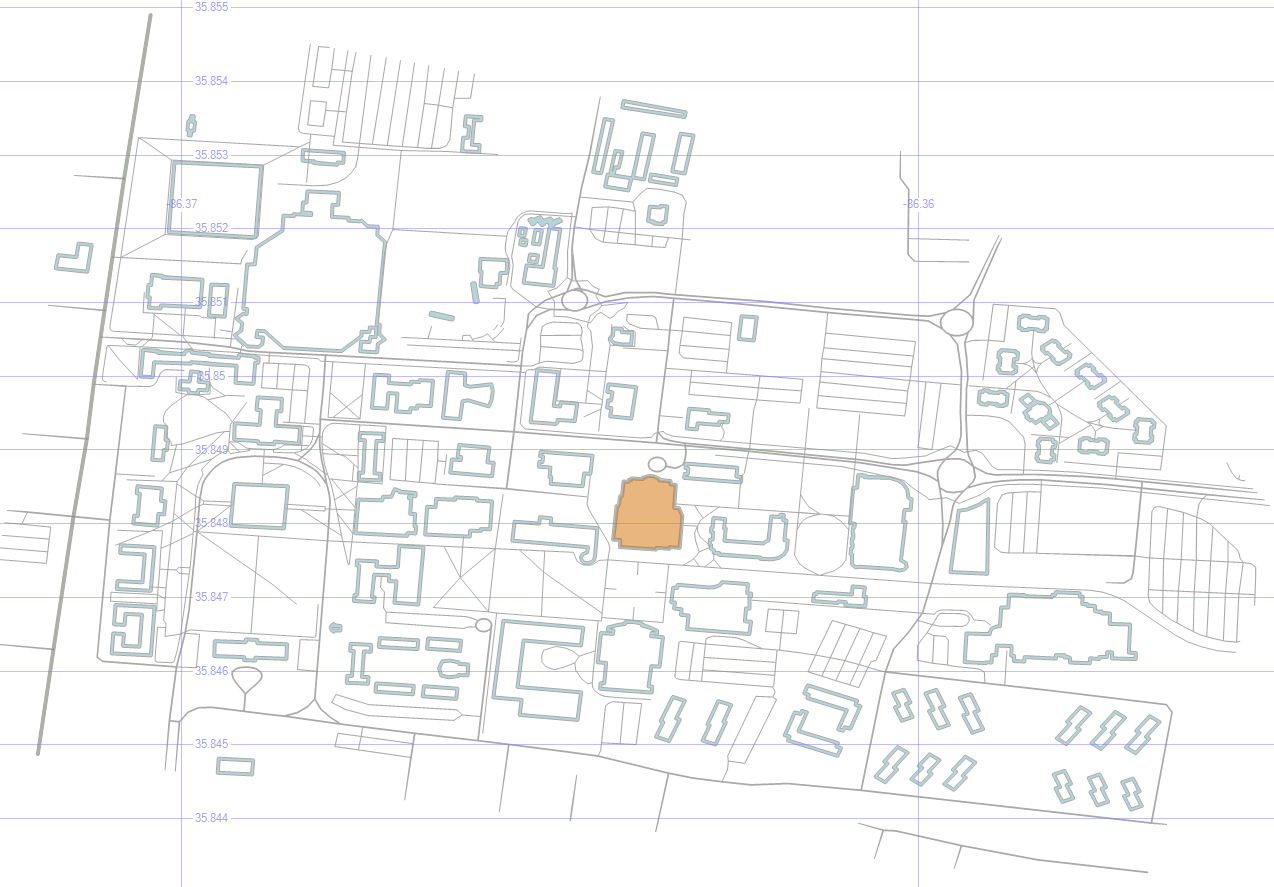
We can group the buildings so that they’re color-coded by type. There are lots of university buildings as expected, and a few other types.

Wait, what’s that brownish building in the bottom right? Condemned? Well, I never!

MSTU Building Types

Don’t worry — the campus isn’t in any danger. It’s just the old dorm.

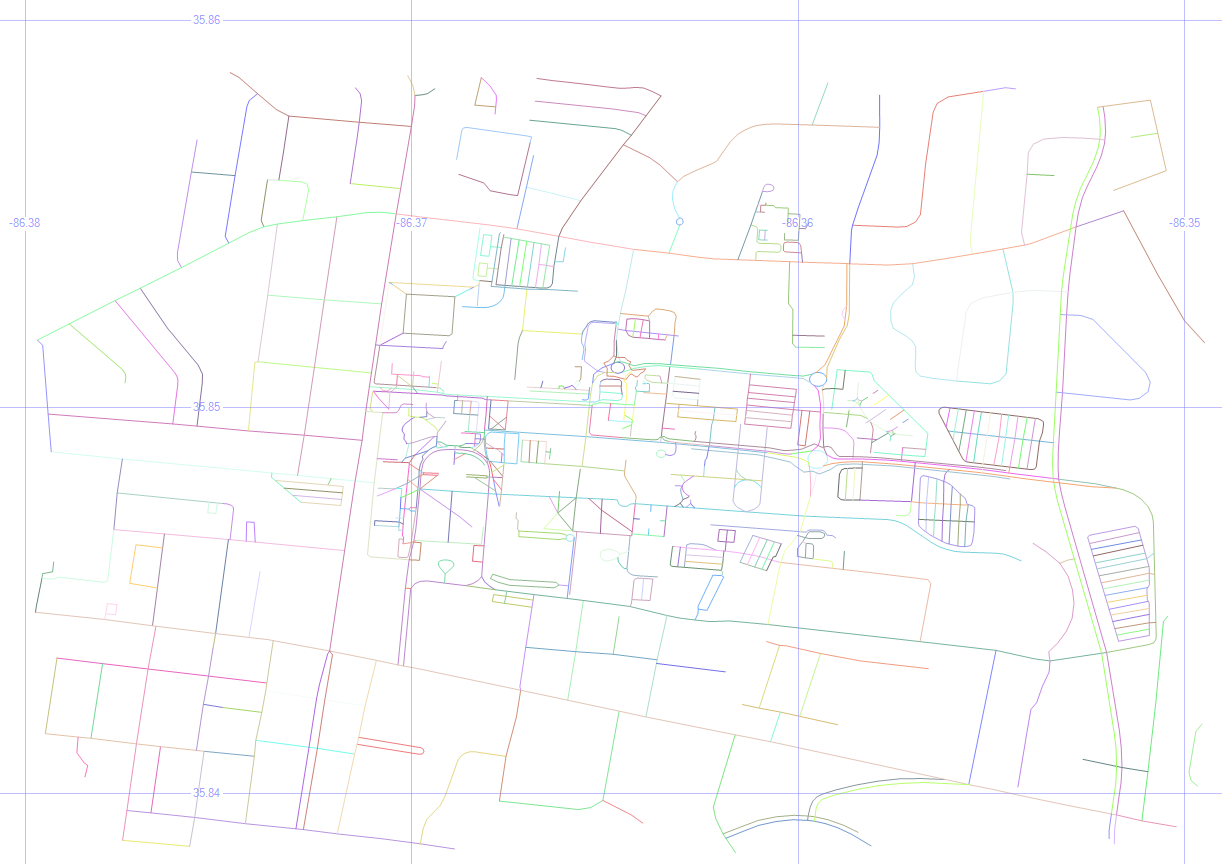
3. How Many Roads Must a Man Walk Down?

select id, geom, name, [type]
from msturoads

Besides the buildings, we can display the roads.

MSTU Roads

4. Road Types

select geometry::CollectionAggregate(geom), [type]
from msturoads
group by type

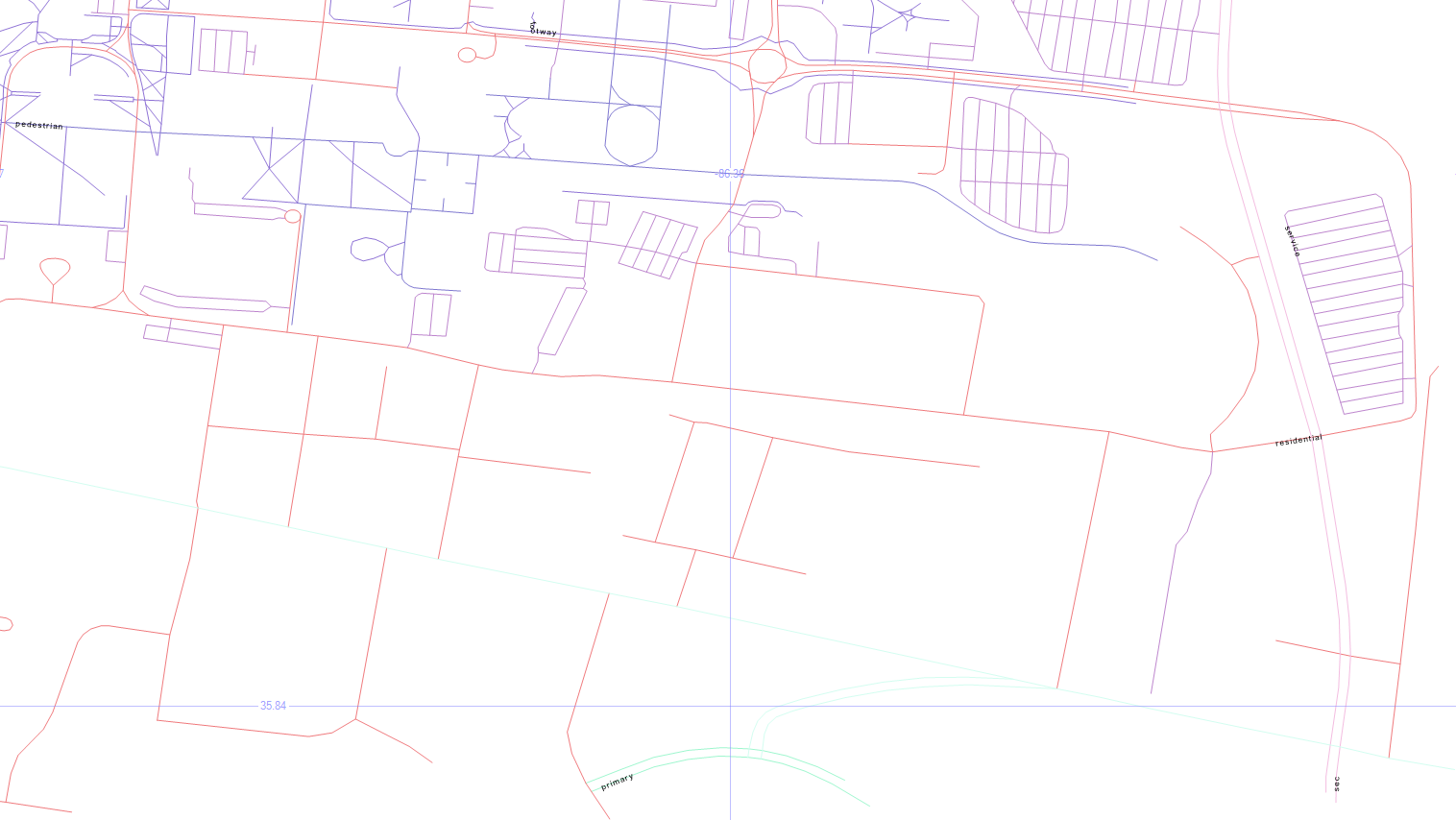
There are a lot of “roads” on the map above, but not all of them are what we’d often consider to be a road. So let’s group them by type and see what they are.

MSTU Road Types

The labels come back really tiny, but the blueish top left is pedestrian, the blueish top center is footway, the purplish on the right is service, the pinkish is residential, with primary on the bottom center, and secondary in the bottom right.

5. Road Sizes

if object_id('tempdb.dbo.#roads', 'u') is not null drop table #roads
create table #roads (typ varchar(20), siz float)
insert #roads select 'primary',    .00004
insert #roads select 'secondary',  .00002
insert #roads select 'tertiary',   .00001
insert #roads select 'residential',.000005
insert #roads select 'service',    .0000005
insert #roads select 'footway',    .0000001
insert #roads select 'pedestrian', .0000001
insert #roads select 'steps',      .00000001
select geometry::CollectionAggregate(geom).STBuffer(siz), [type]
from msturoads
inner join #roads on type = typ
group by [type], siz

Let’s change the size of the roads to match a little more closely with what we’d expect.

My unscientific guess is that primary > secondary > tertiary > residential > service > footway > pedestrian > steps. So the temp table above will apply those sizes to the roads via STBuffer, and aggregating them will make them a single color.

MSTU Road Sizes

It looks more like a human-readable roadmap, anyway.

6. Aggregated Buildings and Roads

select geometry::CollectionAggregate(geom), name, ''
from mstubuildings
group by name
union all
select geometry::CollectionAggregate(geom).STBuffer(siz), '', [type]
from msturoads
inner join #roads on type = typ
group by [type], siz

Now, let’s put the buildings and (sized) roads together, and choose Name as the label for the buildings.

MSTU Buildings and Roads

7. Cleaning Up

if object_id('tempdb.dbo.#camp','u') is not null drop table #camp
create table #camp (geom geometry)
insert into #camp (geom)
select geometry::STPolyFromText('POLYGON ((-86.371 35.855, -86.36 35.853, -86.355 35.848, -86.357 35.843, -86.373 35.845, -86.371 35.855))', 0)
select geometry::CollectionAggregate(geom), name, ''
from mstubuildings
group by name
union all
select geometry::CollectionAggregate(geom).STBuffer(siz), '', [type]
from msturoads
inner join #roads on type = typ and siz >= .0000005
group by [type], siz
union all
select geom.STBoundary().STBuffer(.0002), null, null
from #camp

But remember, we’re not just painting a picture — this is queryable data.

So dropping the not-really-roads (footway, pedestrian, steps), and drawing a homemade polygon around the campus, we’re getting closer to a more usable map.

MSTU Boundary

8. Trim the Map

select 0, geometry::CollectionAggregate(geom).STIntersection((select geom from #camp)).STBoundary().STBuffer(.00002), '', ''
from mstubuildings
union all
select id, geom, name, [type]
from mstubuildings
where id = 22
union all
select 0, geometry::CollectionAggregate(geom).STIntersection((select geom from #camp)).STBuffer(siz), '', [type]
from msturoads
inner join #roads on type = typ
group by [type], siz

That polygon doesn’t have to be just for show — we can use it as a filter to only show the geometry that is within it, which “chops away” the parts of the map that we don’t care about.

To highlight a particular building (the Business and Aerospace Building which hosted SQL Saturday 480), just change the buildins into outlines via STBoundary, and union in that one building as-is.

MSTU Cropped with Building Highlight

9. Pick Three Buildings

select id, geom, name, [type]
from mstubuildings
where id in (22, 38, 40)
union all
select 0, geometry::CollectionAggregate(geom).STIntersection((select geom from #camp)).STBoundary(), '', ''
from mstubuildings

Okay, now let’s pick just a couple of buildings to focus on. The BAB, the condemned building, and that building in between.

MSTU Building Focus

10. Save the Buildings for Later

if object_id('tempdb.dbo.#orig','u') is not null drop table #orig create table #orig (geom geometry)
if object_id('tempdb.dbo.#dest','u') is not null drop table #dest create table #dest (geom geometry)
if object_id('tempdb.dbo.#bloc','u') is not null drop table #bloc create table #bloc (geom geometry)
insert into #orig select geom from mstubuildings where id = 22
insert into #dest select geom from mstubuildings where id = 38
insert into #bloc select geom from mstubuildings where id = 40

select geom from #orig union all select geom from #dest union all select geom from #bloc

Let’s save those three buildings for later, and select just them.

MSTU Buildings


In the next post, we’ll use these buildings as we look at ways to get from place to place.

Downloads

Here’s the Excel file with the scripts to create and load the road and building tables.


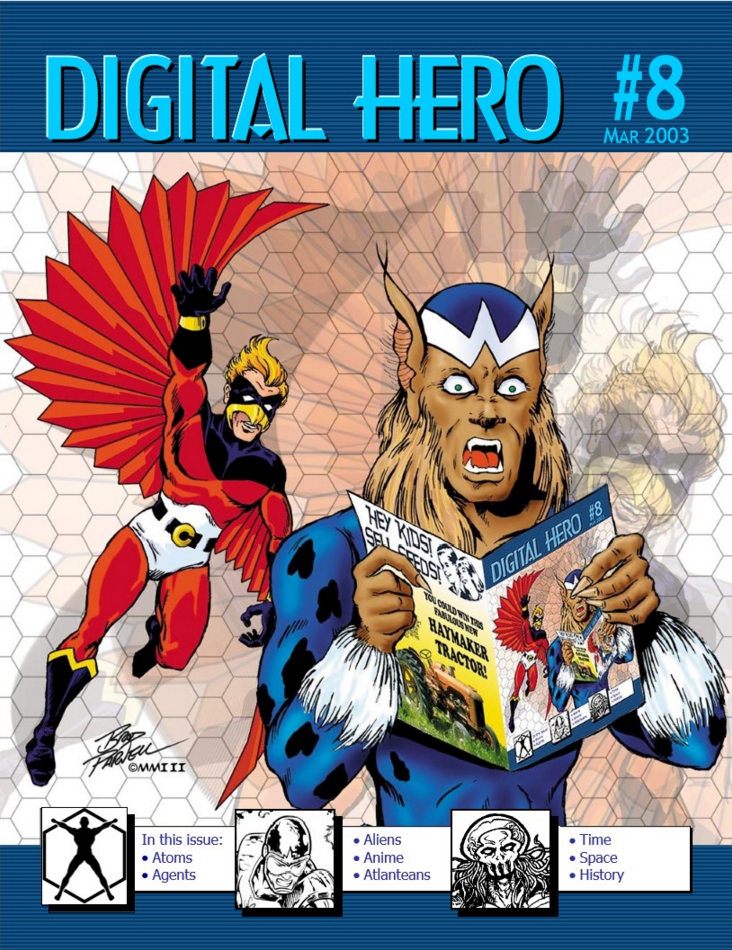
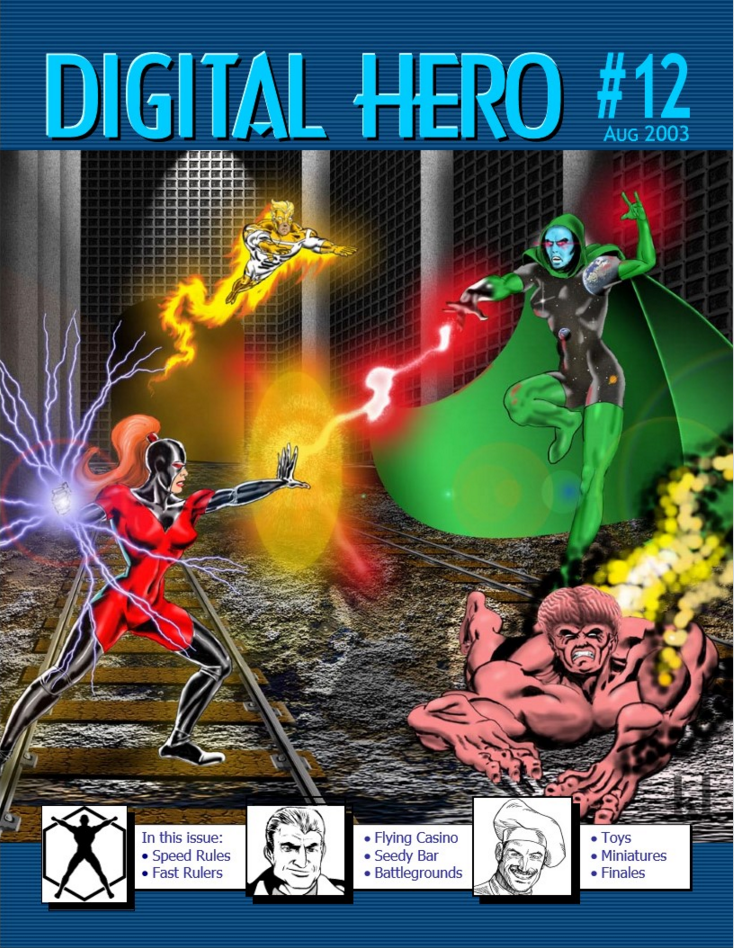
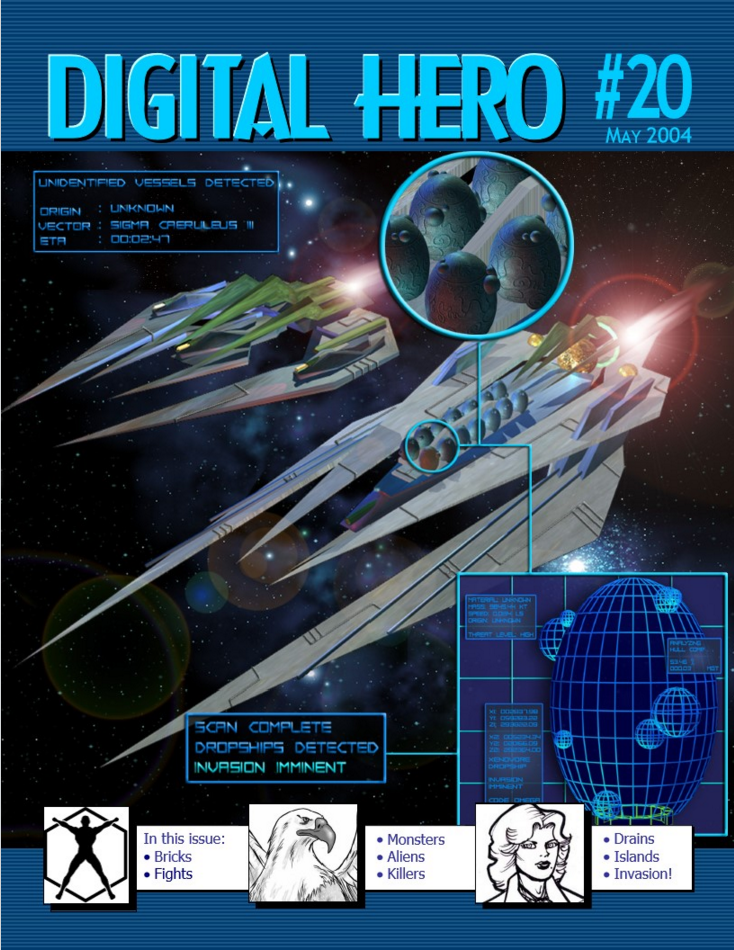
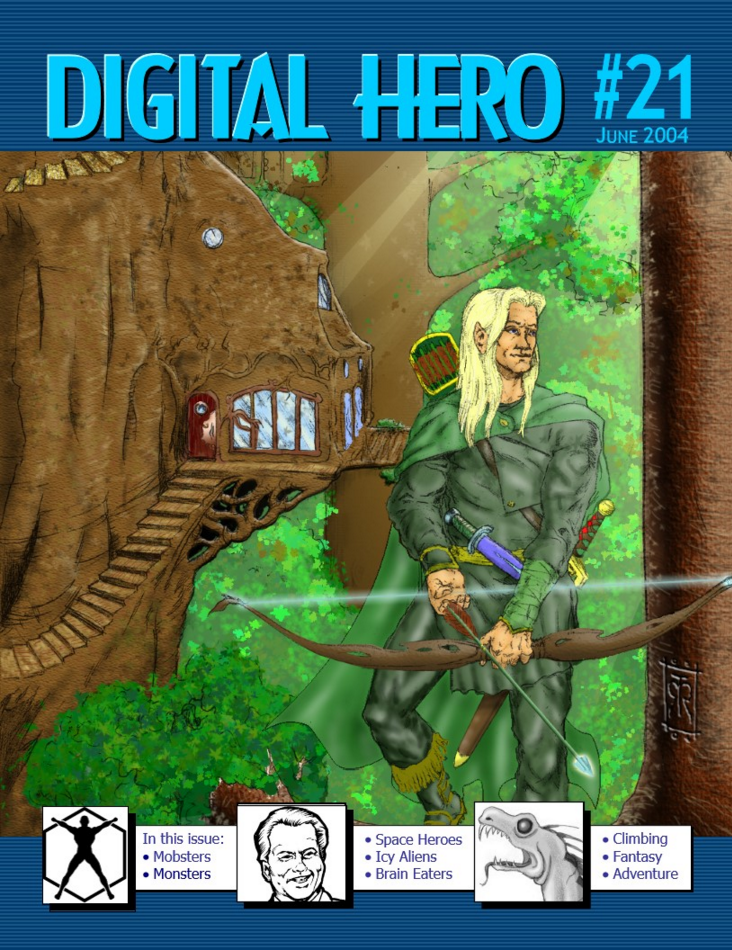
Body of Work – Magazines

Over the years, I’ve worked on a lot of magazines.

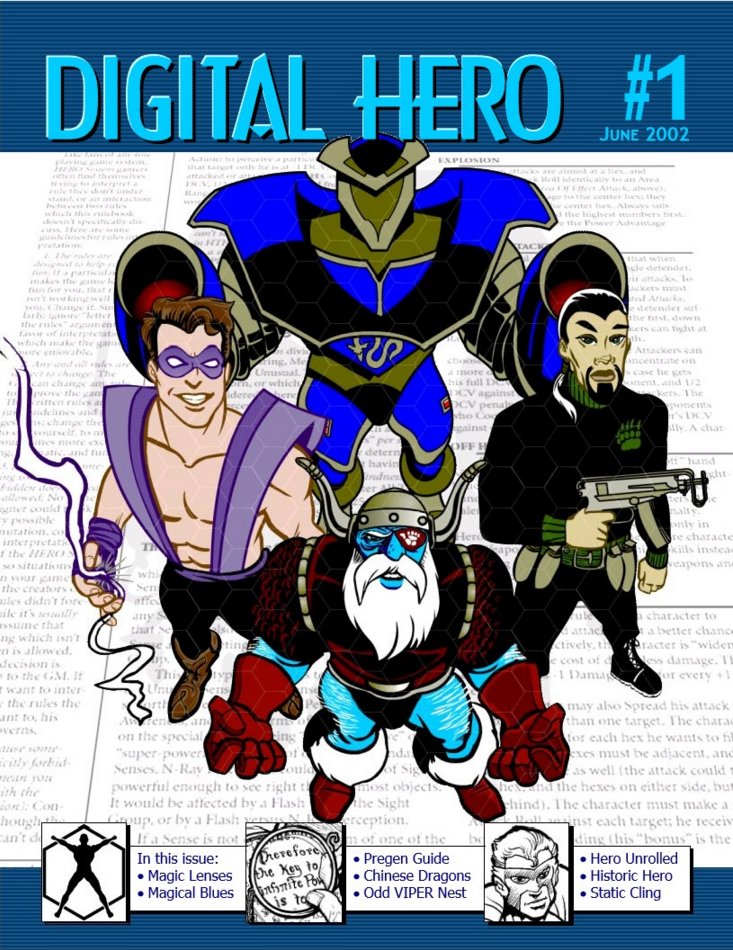
Here are all the magazines I’ve published, and sometimes edited or designed the covers for.

dh01 dh02 dh03 dh04 dh05 dh06 dh07 dh08 dh09 dh10 dh11 dh12 dh13 dh14 dh15 dh16 dh17 dh18 dh19 dh20 dh21 dh22 dh23 dh24 dh25 dh26 dh27 dh28 dh29 dh30 dh31 dh32 dh33 dh34 dh35 dh36 dh37 dh38 dh39 dh40 dh41 dh42 dh43 dh44 dh45 DH46 ez01 ez02 ez03 ez04 ez05 ez06 ez07 ez08 EZ09 ez10 ez11 ez12

Click here to see my full body of work.


All Things to All Men

I’m a Christian, and sometimes a teacher/preacher.

Here’s a look at how we can reach other people, by using Paul’s visit to the Areopagus as an example.

“We’re on a mission from God.” (The Blues BrothersAll Things to All Men)

All Things to All Men

I have become all things to all men so that by any means some may be saved. (1 Corinthians 9:22)

Paul used his life as a means to reach others for Christ.

“Make me one with everything.” (Zen Buddhist to the hot dog vendor)

TravelSlick Willie

Paul then stood up in the middle of the Areopagus… (Acts 17:22)

“Slick” Willie Sutton robbed banks. Why? Because that’s where the money was.

Why did Paul go to the Areopagus? That’s where the Greeks were.

“No matter where you go, there you are.” (Buckaroo Banzai)

HarmonyMetal Fan

“People of Athens! I see that in every way you are very religious.” (Acts 17:22)

Paul looked for common ground. He didn’t agree with a lot of their culture and practices, but he found something that he could use as an anchor to start that relationship.

“When I fall back down, you’re gonna help me back up again.” (Rancid)

InteractionSun Tzu

“For as I walked around and looked carefully at your objects of worship…” (Acts 17:23)

Paul didn’t walk into the situation cold; he learned what he could about the people and the place. Sun Tzu advised us to know our enemy. How much more, then, should we know our potential friends?

“Life moves pretty fast. If you don’t stop and look around once in a while, you could miss it.” (Ferris Bueller)

NeedThere's Your Problem

“I even found an altar to an unknown god. You are ignorant of the very thing you worship.” (Acts 17:23)

It’s a lot easier for us to listen to a new idea if we first realize that we have a problem that this idea can address. Sales teams often talk about finding out the pain point of your prospect. Paul found the altar for the unknown god because the Greeks suspected there was someone they missed.

“I’ve got a fever, and the only prescription is more cowbell.” (Christopher Walken)

Gospelpyramid

“This is what I am going to proclaim to you.” (Acts 17:23)

Paul shared the good news in the way that they were most comfortable with. As a group of philosophers, they loved lectures and debates. It’s up to us to reach our own audience in the best way we can.

“Let me ‘splain. No, there is too much. Let me sum up.” (Inigo Montoyta)

ShepherdWalk This Way

Some of them sneered, but others became followers and believed. (Acts 17:34)

Paul helped those interested in taking the next step. He invited them on his journey, and spent time teaching them, as he planted churches throughout the region.

“Don’t lead me, I may not follow. Don’t follow, I may not lead. Just leave me the heck alone.” (Albert Camut, not really)

MentalityMentality

As a man thinks in his heart, so is he. (Proverbs 23:7)

We all have many aspects of who we are inside. Our temperaments, spiritual gifts, psychological makeup, love languages as more. We can use our strengths and even our weaknesses to reach others.

“I yam what I yam, and that’s all what I yam.” (Popeye the Sailor Man)

ExperienceExperience

Jesus grew in wisdom and stature, and in favor with God and man. (Luke 25:2)

We all have life experience that we can draw on to get to know others. Our school, job, travel; our favorite books, movies, music, art, sports, and games; celebrations and even sorrows. Life doesn’t happen in a vacuum; ours or anyone else’s.

“Experience is what you get when you don’t get what you want.” (Randy Pausch)

NetworkNetwork

Jesus said to them, “You will be my witnesses to all the ends of the earth.” (Acts 1:8)

You know people that I don’t know, and vice versa. We meet people at our neighborhoods, schools, churches, jobs, and events. Everyone we meet is a beloved child of God Almighty, and needs him just as much as we do.

We’re all six degrees from Kevin Bacon.

Summary

Paul’s approach can help us to be all THINGS, and using our backgrounds can help us reach all MEN.

T – Travel
H – Harmony
I  – Interaction
N – Need
G – Gospel
S – Shepherd

M – Mentality
E – Experience
N – Network

Download

Download the PowerPoint.

Spatial Data, Part 1: Introduction

One of my favorite things about SQL is spatial data.

By using the datatypes geography and geometry, we can learn things about the facts and figures that we’re looking though that we might not have noticed without mapping.

Here are some of the basics of how to look at spatial data. Once we’ve gone through these building blocks, we’ll look at some of the things we can do with it.

This is part one in a series:

Introduction

Now, let’s kick the tires and see what spatial data is about.

1. Geospatial Data

select state, geom, geom.ToString() geomtext from us_stateshapes

This command selects the field called geom, which is of data type geometry. It also selects the geom field in string format.

Geom Text

The string results are shown as polygons and multipolygons.

Next to the Results tab is a Spatial Results tab.

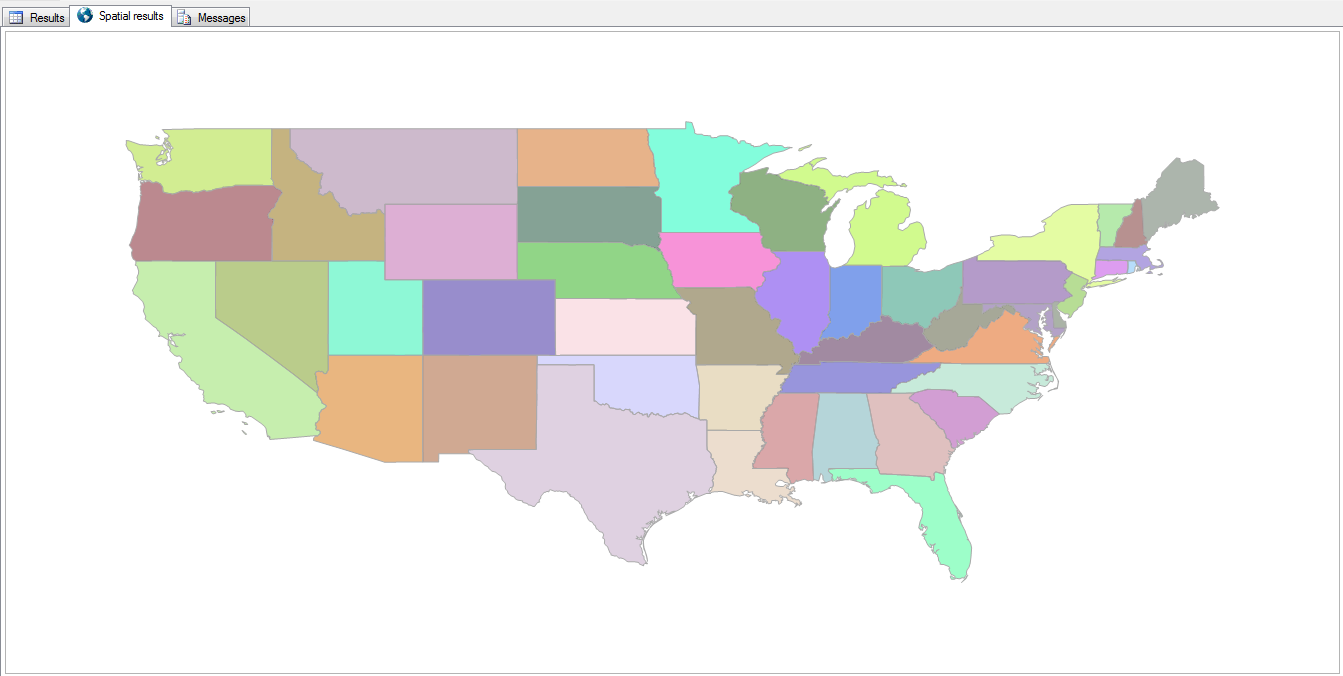
States

Right there in SQL Server Management Studio (SSMS), we see a picture of the US!

Clicking the Label Column adds the state abbreviation to the map as well, and the Grid Lines checkbox toggles whether or not the latitude and longitude lines are visible.

State Labels

2. Where Clause

select state, geom from us_stateshapes where state not in (‘AK’,‘HI’)

Since this is just a T-SQL statement, you can exclude some states or show only specific ones.

Continental

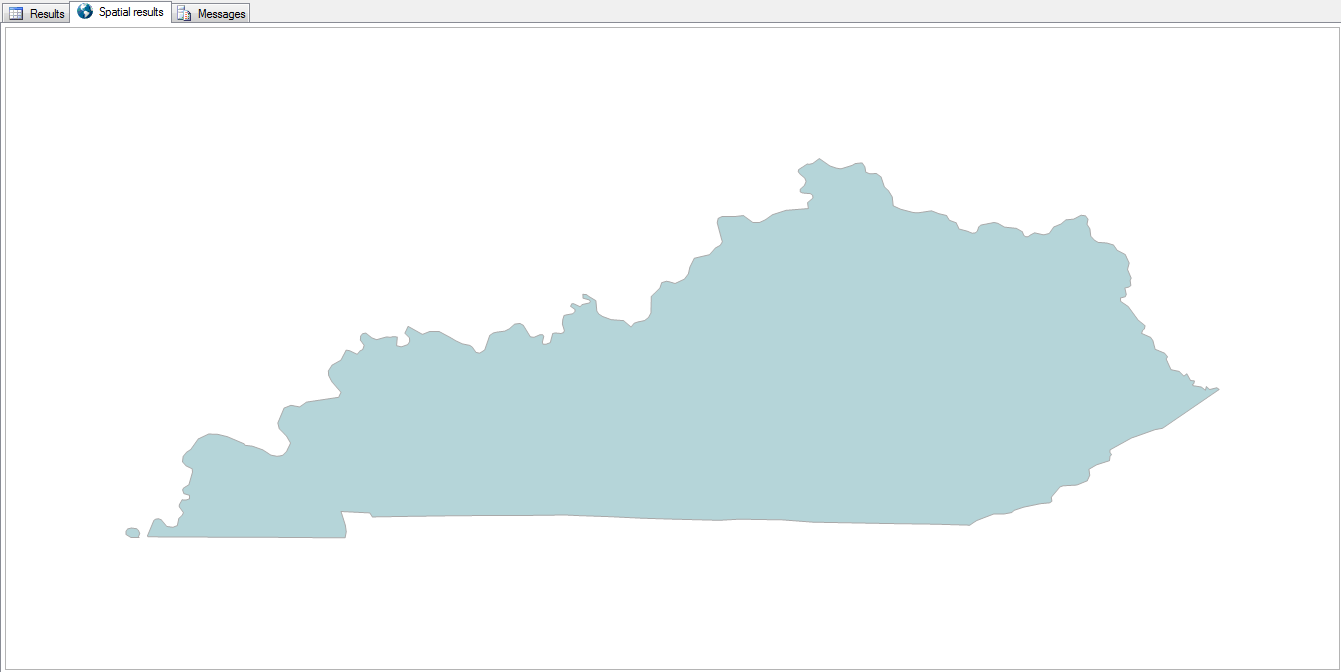
select state, geom from us_stateshapes where state = 'KY'

KY

3. Combine Shapes

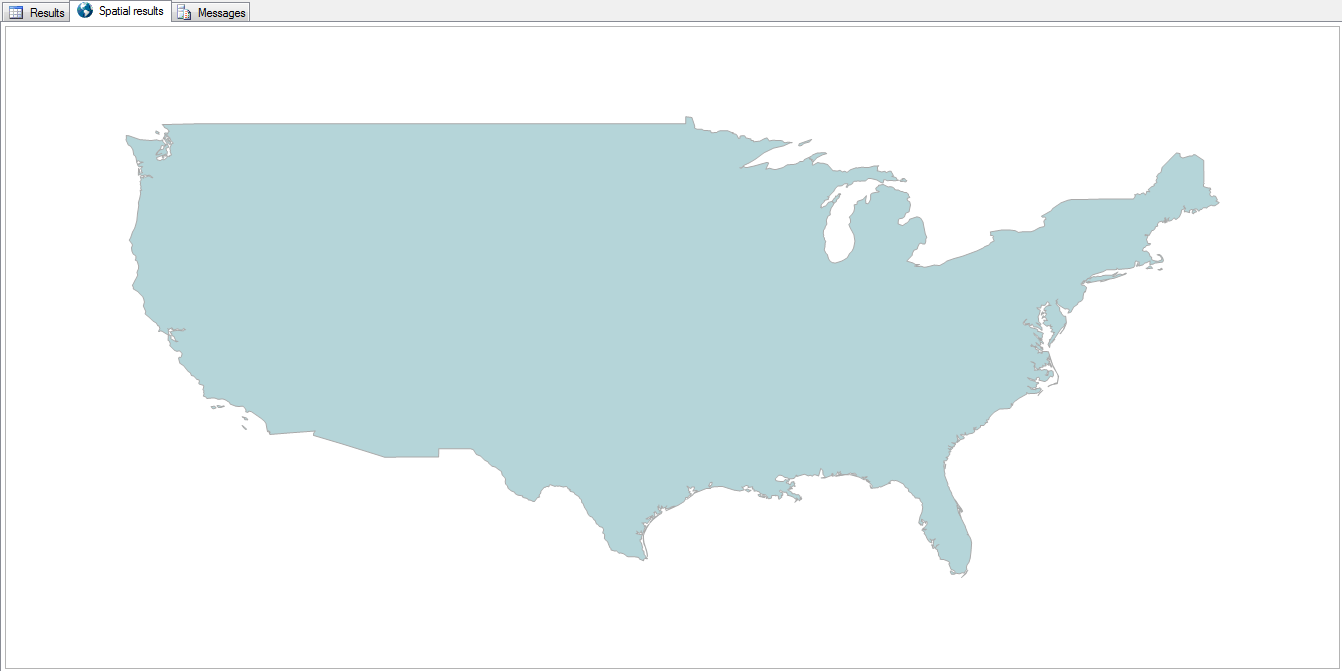
select geometry::UnionAggregate(geom) from us_stateshapes where state not in ('AK','HI')

All of the states can be combined into a single shape by using the UnionAggregate function.

Country

Now it doesn’t quite look like a rainbow vomited onto the map.

4. Combine Shapes with Outlines

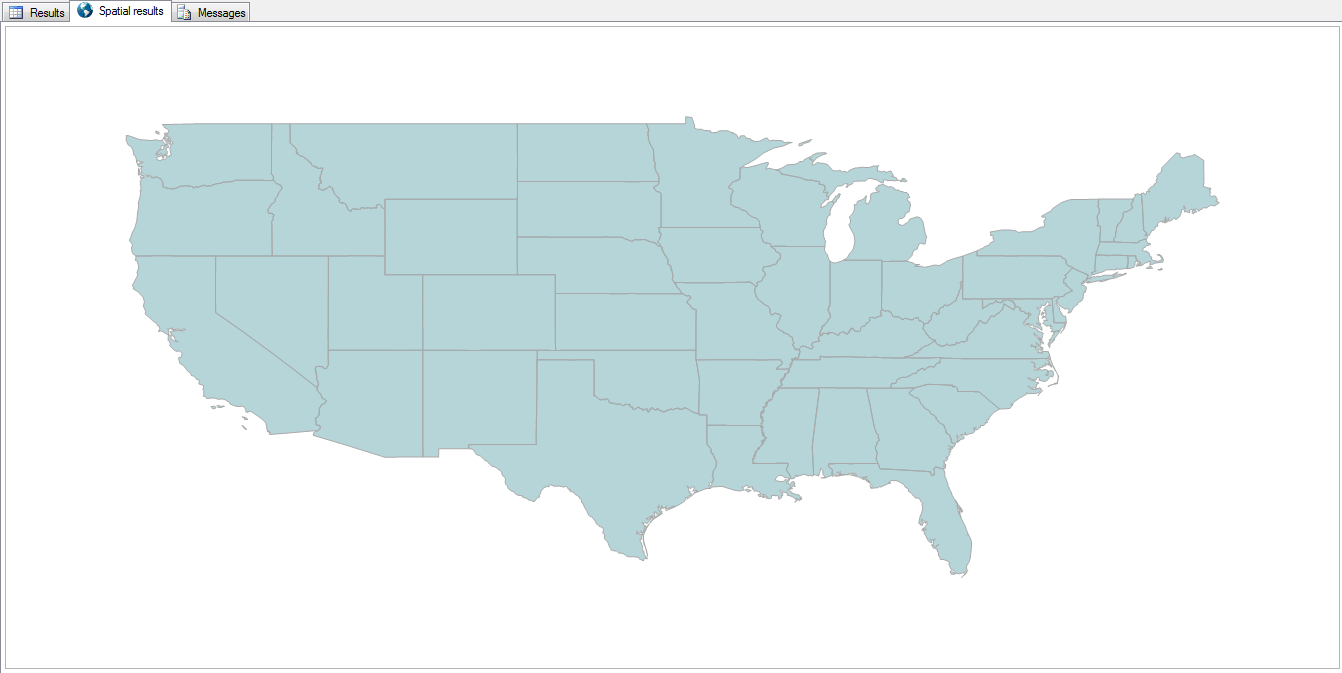
select geometry::CollectionAggregate(geom) from us_stateshapes where state not in ('AK','HI')

The outlines of each state can be retained by using the CollectionAggregate instead.

State Lines

5. Highlight a State

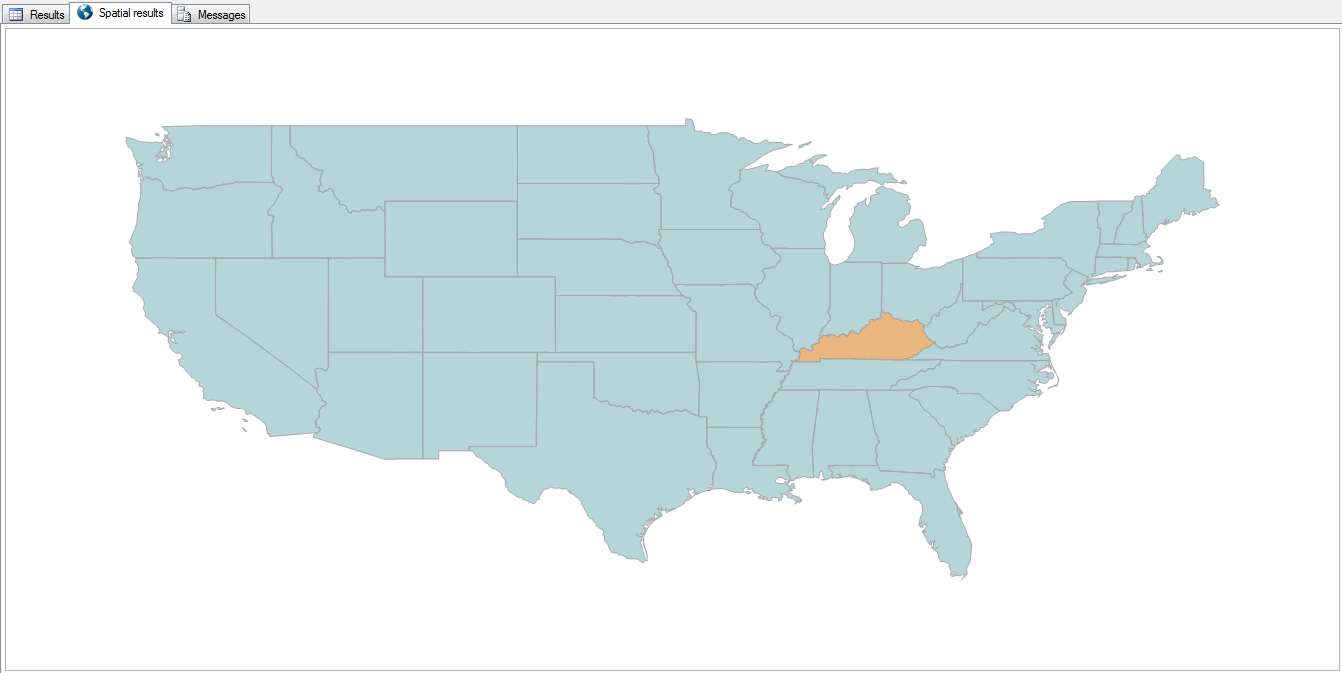
select geometry::UnionAggregate(geom)
from us_stateshapes
where state not in ('AK','HI','KY')
union all
select geom from us_stateshapes where state = 'KY'

By filtering out a state and aggregating the rest of the country into a single color, then unioning that missing state back in, we can essentially change that state’s color.

KY Highlighted

6. County Detail

select geometry::CollectionAggregate(geom)
from ky_counties

“Zooming in” a bit, and reading from the counties table, we can see all the counties in Kentucky.

KY Counties

It’s just as easy to highlight a county, with or without the other counties being outlined.

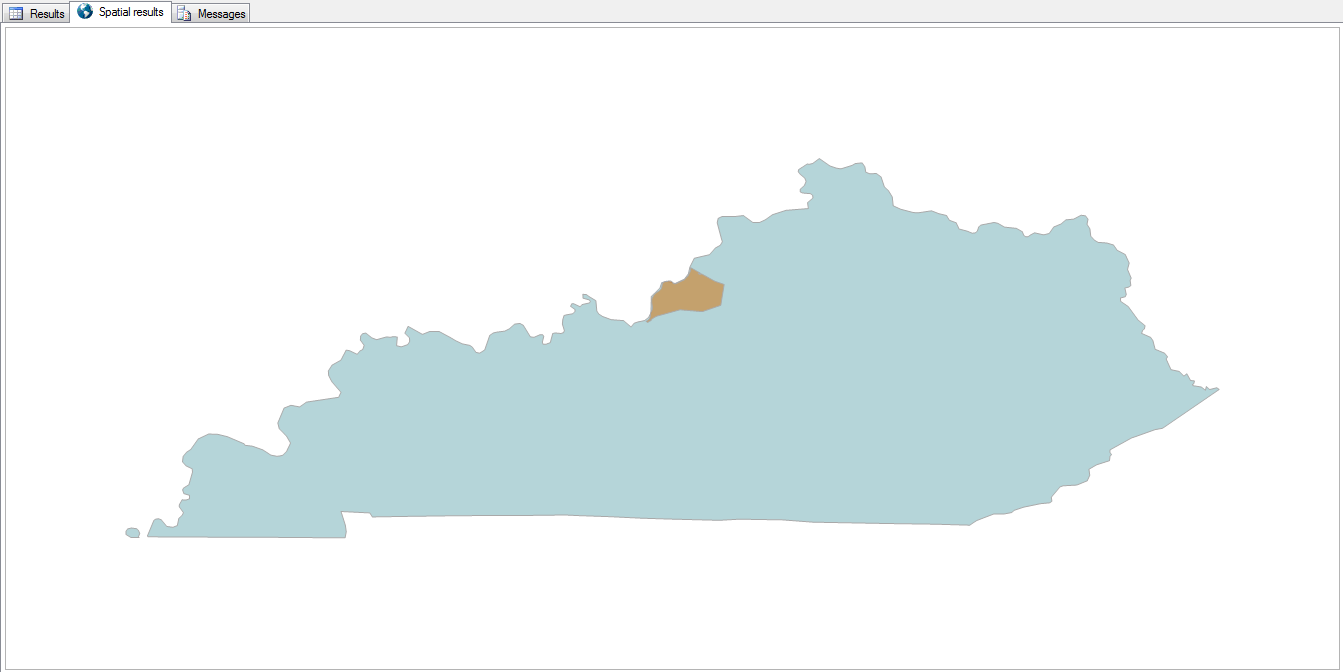
select geom
from us_stateshapes
where state = 'KY'
union all
select geom
from ky_counties
where id = 24

KY with Jefferson County

9. Life is a Highway

select s.geom from us_stateshapes s where s.state = 'KY'
union all
select geometry::CollectionAggregate(i.geom) from us_stateshapes s
left outer join ky_interstates i on 1=1
where s.state = 'KY' and i.geom.STIntersects(s.geom) = 1

Need to find your way around? Add the interstates to the map.

KY Interstates

8. Zip Codes

select geom
from ky_counties
where id = 24
union all
select geometry::CollectionAggregate(geom)
from ky_zip

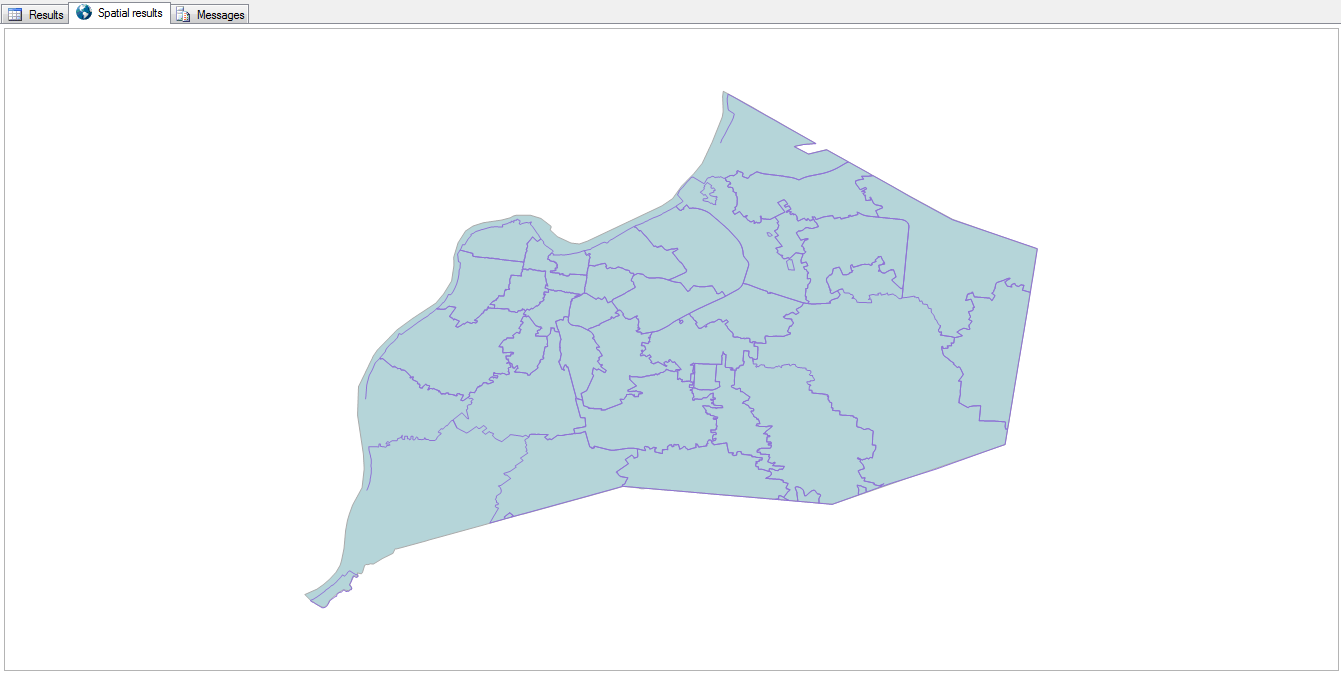
Zooming in a bit more, here are the zip codes within Jefferson County.

Jefferson County Zip Codes

They’re a lot more… disjointed than I expected them to be.

9. Bubbleland

select geom.STIntersection(geometry::Point(-89.5,36.53,0).STBuffer(.3))
from us_stateshapes
where state in ('ky','tn','mo') 
union all 
select geom.STBoundary().STIntersection(geometry::Point(-89.5,36.53,0).STBuffer(.3)).STBuffer(.005)
from us_stateshapes
where state in ('ky','mo')

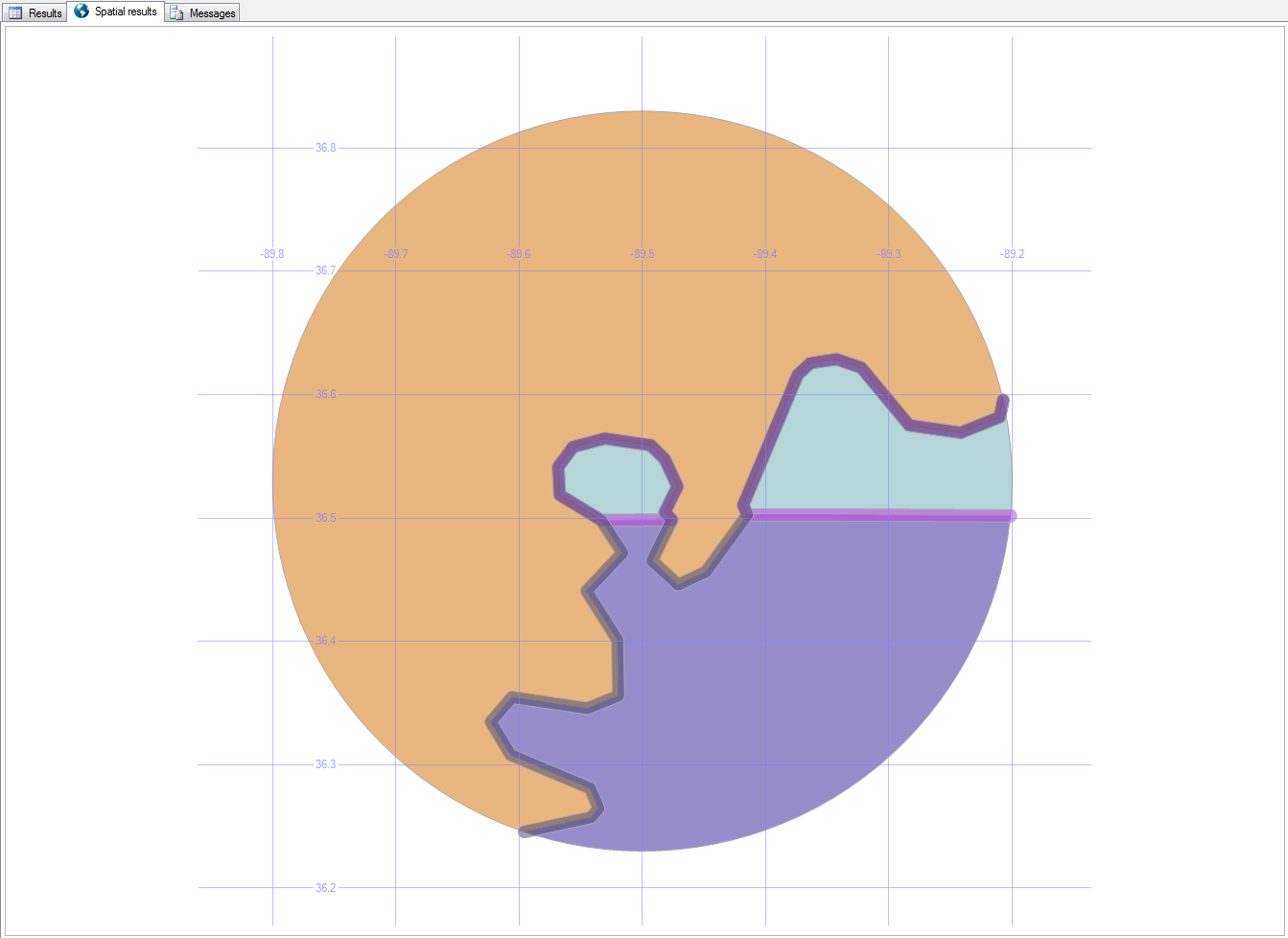
Here’s a strange place in Kentucky…

Bubbleland, as it’s been nicknamed, is a place in Kentucky that can only be accessed (by land) from Tennessee.

Bubbleland

You can read more about Bubbleland here.

In the next post, we’ll look at local roads and buildings.

Downloads

Here’s the Excel file with the scripts to create and load the road and building tables.

New Wave

Back when I was a DJ at WLCV radio, on the air I was known as “New Wave Dave.”

Here are some of my favorite new wave bands, with the genre being somewhat fluid (new wave, post-punk, synth-pop, ska, pre-industrial, and others).

These are “my” bands. The bands that helped shape who I am, roughly in order of how much they mean to me.

Dave Mattingly: The Musical, Part 1

  • Depeche ModeDepeche Mode
    • Known For: People are People
    • Memories: I still prefer the acoustic version of Personal Jesus, which I heard long before the album version. It was mailed to the radio station without any information – no artist, title, or anything else. We made up a name (The Flaming Doo-Doo Balls, if I remember right), and played it on the air for at least a year before the Violator album came out.
    • Favorite Songs: Photographic, Ice Machine, New Life, See You, Everything Counts, Dream On
  • Pearl Harbour and the Explosions Pearl Harbour
    • Known For: Drivin’
    • Memories: Pearl Harbour’s music is built from infectious fun, with a rockabilly twist. I wish I could find a good music video of their song Flirt, which has long been my favorite of theirs.
    • Favorite Songs: Flirt, Fujiyama Mama, Shut Up and Dance
  • Nik KershawNik Kershaw
    • Known For: Wouldn’t It be Good
    • Memories: Nik’s imaginative video for Wouldn’t It Be Good caught my eye initially, but it was the meaning behind his songs that kept me coming back. A lot of the songs on his Human Racing album got deep. I used to wear a “Nik” button on my jacket when I worked down in Florida, and found out that a friend I wouldn’t have expected was also a fan.
    • Favorite Songs: Don Quixote, Shame on You, Gone to Pieces, Faces

Go back to Part 0: Louisville Music, or read on for Part 2: Quirky Music

Fearfully and Wonderfully Made

As a followup to Let All Creation Rejoice, which focused on how amazing the universe is, this takes us a little closer to home — to our own bodies.
Fearfully and Wonderfully Made

I will praise You, for I am fearfully and wonderfully made. (Psalm 139:14)

Individuality

Indeed, the very hairs of your head are all numbered. Don’t be afraid; you are worth more than many sparrows. (Luke 12:7)

For you created my inmost being; you knit me together in my mother’s womb. (Psalm 139:13)

Meaning

“Bring to me all the people who are mine, whom I made for my glory, whom I formed and made.” (Isaiah 43:7)

“I know the plans I have for you,” declares the Lord, “plans for welfare and not for evil, to give you a future and a hope.” (Jeremiah 29:11)

You didn’t choose me. I chose you. I appointed you to go and produce lasting fruit. (John 15:16)

Authority

God created mankind in his own image, in the image of God he created them. (Genesis 1:27)

You made mankind rulers over the works of your hands; you put everything under their feet. (Psalm 8:6)

God said, “…Fill the earth and subdue it. Rule over the fish… and the birds… and every living creature.” (Genesis 1:28)

Whatever you bind on earth will be bound in heaven, and whatever you loose on earth will be loosed in heaven. (Matthew 18:18)

Greater is he that is in you than he that is in the world. (1 John 4:4)

Therefore, angels are only servants—spirits sent to care for those people who will inherit salvation. (Hebrews 1:14)

Don’t you realize that we will judge angels? (1 Corinthians 6:3)

Glory

God created mankind in his own image, in the image of God he created them… Then God looked over all he had made, and he saw that it was very good. (Genesis 1:27, 31)

Even before he made the world, God loved us and chose us. God decided in advance to adopt us into his own family. (Ephesians 1:4, 5)

When the Chief Shepherd appears, you will receive the crown of glory that will never fade away. (1 Peter 5:4)

Eternity

For God so loved the world that he gave his one and only Son, that whoever believes in him shall not perish but have eternal life. (John 3:16)

We are citizens of heaven, where the Lord Jesus Christ lives. And we are eagerly waiting for him to return as our Savior. He will take our weak mortal bodies and change them into glorious bodies like his own. (Philemon 3:20-21)

Beloved, I urge you to live as strangers and aliens. (1 Peter 2:11)

Grateful

Let us be grateful for receiving a kingdom that cannot be shaken, and offer to God acceptable worship, with reverence and awe. (Hebrews 12:28)

Open

As it is written: “They have freely scattered their gifts to the poor; their righteousness endures forever.” (2 Corinthians 9:9)

Daring

Therefore, if anyone is in Christ, the new creation has come: The old has gone, the new is here. (2 Corinthians 5:17)

For God has not given us a spirit of fear, but a spirit of power. (2 Timothy 1:7)

The Image of God

 I  – Individuality
M – Meaning
A – Authority
G – Glory
E – Eternity

G – Grateful
O – Open
D – Daring

If I go up to the heavens, you are there; if I make my bed in the depths, you are there. (Psalm 139:8)

Download the PowerPoint, which includes a bunch of dumb jokes, and also references to Michelangelo, Dr. Seuss, Dr. Evil, Batman, The Hitchhiker’s Guide to the Galaxy, Ralph Waldo Emerson, Doug Larson, Keanu Reeves, Scooby Doo, John F Kennedy, Karl Hurley, A. W. Tozer, Spider-Man, Robert Schuller, Depeche Mode, Olive Garden, Led Zeppelin, Highlander, The Screwtape Letters, the Marx brothers, They Might Be Giants, John Wayne, Steve Martin, and D. L. Moody.